 KIKOMONO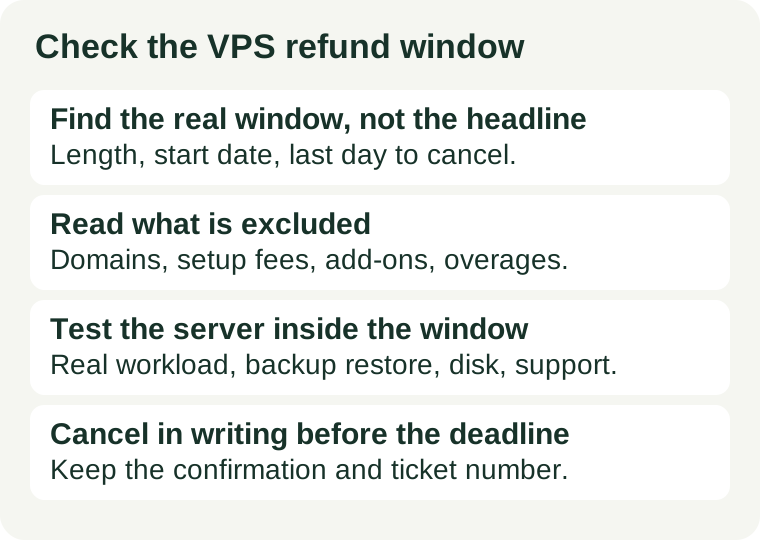
The short answer
Check four things, in this order: how long the window really is and when it starts, what it excludes, how the refund is paid, and what you will test before it ends. The sales page headline is not the answer; the refund terms for the exact plan are. If the terms are hard to find, that is itself a signal — a guarantee you cannot read before buying is not a guarantee you can rely on after.
1. Find the real window, not the headline
Refund windows differ from provider to provider, and sometimes from plan to plan with the same provider. Do not carry a number from one provider's page to another's checkout. At checkout, find and record three facts:
- The length. How many days does the guarantee last for this exact plan and billing term? A monthly plan and an annual plan from the same provider do not always share a window.
- The start date. Does the window start on the order date, or on the day the server is provisioned? The two dates can differ by a day or more, and the difference matters most on a short window.
- The last day to cancel. Write it down as a calendar date, and set a reminder a few days before it — not on it. Support queues, time zones and panel outages all eat into the final day.
Our promo terms guide covers the same discipline for the wider checkout: the terms page for the exact product beats the sales page every time, and a term you cannot find is a term you have not agreed to knowingly.
2. Read what is excluded before you need the refund
Most refund disputes are not about whether a guarantee exists; they are about what it does not cover. Check the exclusion list for these items, and note which ones apply to your order:
- Domain registration. A domain bought with the plan is often non-refundable even when the hosting is refunded.
- Setup fees and add-ons. One-time setup charges, dedicated IP addresses, control-panel licences and paid add-ons are commonly excluded.
- Usage beyond the allowance. Bandwidth overage, extra storage or backup charges may be billed separately and kept out of the refund.
- Promotional conditions. Some guarantees apply only to the first order, only to certain billing terms, or not at all to renewals. A renewal is a different purchase from a first order — our renewal price guide explains why the second year deserves its own check.
If an item on your order appears on the exclusion list, price the order as if that item is non-refundable. The guarantee then covers the rest, and you are not surprised later.
3. Check how the refund is paid
A refund to the original payment method and a refund as account credit are not the same outcome. Before you pay, find out which one the terms promise, and whether the refund is full or partial. Also check whether the terms state a processing time; if they do not, ask support and keep the answer in writing. A refund that arrives as credit only helps if you intend to buy from the same provider again — which is exactly what a failed test usually rules out.
4. Use the window as a test period
The window is short, so test the things that would actually make you leave, in the first days rather than the last. Five checks cover most reasons to cancel:
- Deploy the real workload. A blank test page proves nothing. Put the real site, or a faithful copy of it, on the server and watch it under real traffic.
- Restore a backup. A backup you have never restored is a hope, not a safety net. Our backup restore guide walks through the test — and the window is the cheapest time to discover it fails.
- Measure disk speed and bandwidth. The disk speed check and the bandwidth and transfer check both take minutes, and both catch the gap between the sales page and the server you actually received.
- Verify the storage label. If the plan was sold on NVMe, run the NVMe verification before the window closes, not after the first slow week.
- Open one support ticket. Ask a real question and note the response time and quality. Support is easy to praise before you need it; the window is when you can still act on a bad answer.
If any check fails badly, that is the moment the guarantee exists for. Do not wait for the next billing cycle to see whether it improves; the window will not reopen.
5. Cancel in writing, and keep the evidence
Cancelling correctly matters as much as cancelling on time. Keep four things together until the money is back:
- The order confirmation, showing the plan, term and price you actually paid.
- A dated copy of the refund terms as they stood at checkout — a screenshot or a saved page, with the date visible.
- The cancellation confirmation from the provider's own system, plus any ticket number.
- The card or account statement showing the refund, checked after the processing time the terms state.
Cancel through the provider's own panel or support channel, not through a forum post or a social message. If support says the refund is processed, ask for it in writing, with a reference number you can quote if the money does not arrive.
When a refund is not the right safety net
Two cases deserve a different plan rather than a longer window. First, a free trial and a money-back guarantee are not the same thing: a trial costs nothing up front and ends without a charge, while a guarantee charges first and refunds later, with exclusions. Do not treat them as interchangeable. Second, if the real risk is the second year rather than the first week — the renewal price, not the server quality — no refund window fixes it; that decision belongs to the renewal check, made before the first term is bought. The refund window protects the first days. The renewal check protects the years after them. Use each for the risk it actually covers.