 KIKOMONO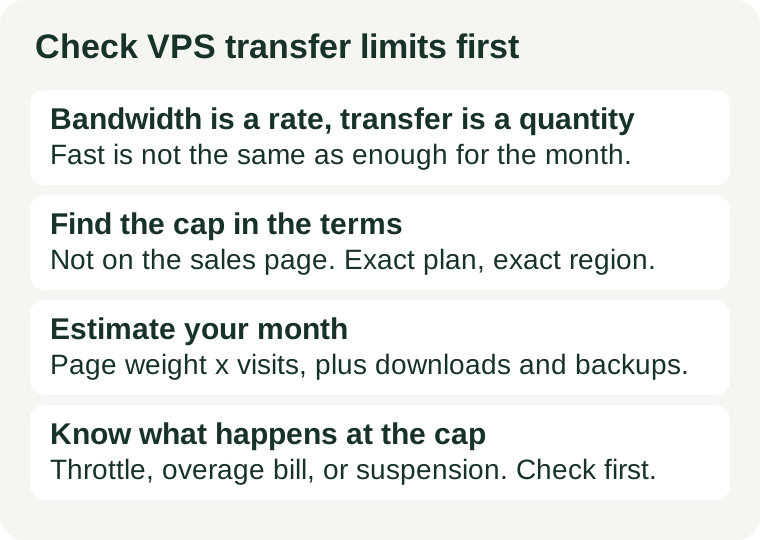
The short answer
Check three things, in this order: the transfer number, what counts towards it, and what happens when it is reached. Bandwidth, in megabits per second, is how fast data moves; transfer, in gigabytes or terabytes per month, is how much data moves in total. A fast plan can still run out of transfer before the month ends, and a generous transfer allowance does not make a slow connection fast. If you cannot find the transfer number, what counts, or the overage rule for the exact plan you are buying, treat that as a warning, not as a detail to sort out later.
1. Two numbers, and they answer different questions
Sales pages often print one number in large type and leave the other to the terms. Keep them apart:
| Number | Unit | Answers |
|---|---|---|
| Bandwidth | Megabits per second (Mbps) | How fast can one visitor download, and how many visitors can download at once? |
| Transfer | Gigabytes or terabytes per month | How much data, in total, can the server send in a billing month? |
For a small site, bandwidth rarely bites first: a page that weighs a few megabytes loads fine on an ordinary connection. Transfer is the quiet one, because it accumulates invisibly — every page view, every image, every download, every off-site backup that leaves the server adds up, day after day, until the month's total is spent. Our WordPress on a small VPS guide explains why bandwidth is usually the last thing to break on a small site, with two exceptions: media-heavy pages and sudden spikes.
2. Find the cap where it actually lives
The sales page may say “unmetered”, “unlimited” or nothing at all. None of those words is the rule. The rule lives in the terms for the exact product and region, and in the usage meter in the hosting panel once the server exists. Before you buy, read the terms for three things:
- The number. The monthly transfer allowance for this plan, in this region. A plan family can carry different allowances on different sizes, and a number quoted for another size is not your number.
- What counts. On many plans only outbound traffic counts, but some count both directions, and some exclude or include particular kinds of traffic. Backups that leave the server, update downloads and media served to visitors may all count differently. If the terms do not say, ask support and keep the answer in writing.
- What happens at the cap. Throttling, overage billing or suspension — see section 4. An “unlimited” plan usually means “no fixed number, subject to a fair-use clause”, and the fair-use clause is where the real limit hides. Our promo terms guide covers how to read that kind of clause without importing conditions from a different product.
If the plan has a usage meter in the panel, check it in the first week, not the first month. A meter that climbs faster than your estimate is telling you that something — media, bots, a backup job — is consuming transfer you did not budget for, and the first week is when that discovery is still cheap.
3. Estimate your month in five minutes
You do not need exact analytics to judge whether an allowance fits. A rough estimate, done before you buy, beats a precise bill afterwards. Three inputs:
- Average page weight. Open your heaviest typical page in a browser and read the transferred size, or take the average from your analytics or audit tool. A text page might weigh under a megabyte; a page with several large images can weigh several megabytes. Use the heavy page, not the light one, for the estimate.
- Monthly visits. Take last month's visits, or a realistic target for the next few months, and multiply: page weight × pages per visit × visits. As a worked example only, a 2 MB page viewed 10,000 times is about 20 GB of transfer before any downloads, feeds or admin traffic.
- The extras. Add downloads, podcast or video files served from the server, off-site backups that leave the server, and update traffic. Then add headroom: a single viral day or a backup misconfiguration can spend in hours what a normal week spends in days.
Compare the total with the plan's allowance, and look at the ratio, not just the pass or fail. An estimate at 80% of the allowance leaves no room for a good month; an estimate at 20% means transfer is not your constraint and you can stop worrying about it. If the estimate is close to the cap, the fix is usually a CDN for static assets or a plan with a larger transfer allowance — not a faster CPU. A bigger server does not raise a transfer cap unless the larger plan actually carries one.
4. Know what happens at the cap before it happens
Three outcomes are common, and they feel very different on the day:
- Throttling. The connection slows to a fraction of its normal speed until the next billing period. The site stays up but loads slowly, which visitors experience as a broken site.
- Overage billing. Extra transfer is charged per gigabyte. The site stays fast, and the bill grows with the traffic — which is the right outcome for a genuine spike and the wrong surprise if nobody set an alert.
- Suspension. The service stops until the next billing period or until you upgrade. This is the outcome to rule out before you buy, especially for a shop or a site with a launch date.
Whichever applies, set two defences the day the server goes live: a usage alert in the hosting panel at a level that leaves you time to act — 70% is a sensible first alert — and a note of the billing date, so you know when the allowance resets. An alert at 95% is a notification of a problem, not a defence against one.
5. When the cap is the wrong fit
Two signs mean the transfer allowance, not your site, is the problem. First, the meter hits the alert level in a normal month, not just a spike month — the allowance is sized for a smaller site than yours. Second, the overage or throttling rule punishes exactly the traffic you want: a media-heavy portfolio, a download page, or a launch that brings a week's traffic in a day. In both cases, the honest fix is structural: put static assets behind a CDN so they stop consuming VPS transfer, move large downloads off the server, or buy the larger transfer tier. Our renewal price guide is the companion check here, because the transfer tier you need in year two may not be the one that looked cheap in year one — check the renewal price of the tier you will actually need, not just the tier you start on.