 KIKOMONO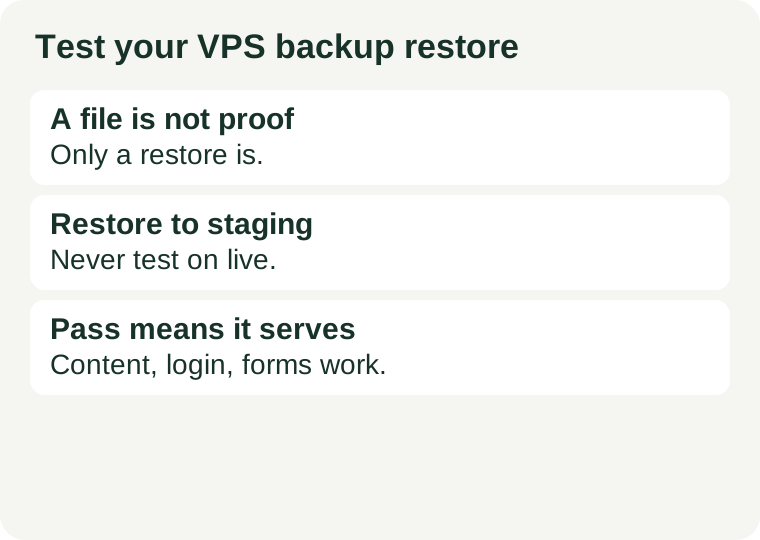
The short answer
A VPS backup restore test answers one question: if this server disappeared today, could you rebuild a working site from what you have saved, and how long would that take? A backup that has never been restored can fail quietly in several ways — an empty database dump, a truncated archive, a missing configuration file, or a restore step nobody wrote down. None of those shows up while the backup job reports success.
Run the test on a staging copy, never on the live site. Restoring over production to "see if it works" can overwrite newer content and turn a test into the very outage you were preparing for. If you do not have a staging server, a small temporary VPS, or a separate directory and database on a test machine, serves the same purpose for a small site: the restore target must be disposable. Decide in advance who performs a real restore, because a backup nobody is assigned to restore is an unsent rescue plan — see how to choose your first VPS for the maintenance responsibilities worth settling before you need them.
Three levels of test, in order
Start cheap and stop at the level that matches the risk. A small personal site does not need a full disaster-recovery rehearsal every month, but it does need more than "the backup file exists".
| Level | What you do | What it proves | What it cannot prove |
|---|---|---|---|
| 1. List and open | List the archive contents and check file sizes and dates; open the database dump and confirm it is not empty. | The backup is readable, recent, and roughly complete. | That the site actually runs from it. |
| 2. Single-file restore | Restore one file and one database table to a staging path, with their permissions intact. | That extraction, permissions, and database import work. | That the whole site starts and serves pages. |
| 3. Full staging rebuild | Rebuild the site from the backup on a clean staging server and check it end to end. | That recovery works, and how long it takes. | Nothing about production — until you also plan the cutover. |
Level 1: list and open (minutes, no server needed)
Check the newest backup first, not the oldest one you trust. Confirm the date is recent enough for the data loss you could accept, and that the archive opens without errors. A read-only listing is enough here — for a compressed archive, listing its contents shows whether the files you expect are inside, and a size of zero or a few bytes on a database dump is an immediate failure, not a detail to investigate later. Note the backup's date and size in a short log; without that note, next month's check cannot tell whether anything changed.
Level 2: restore one file and one table to staging
Pick a file whose content you can recognise — a theme file, an uploads file, or a configuration file — and restore it to a staging path, not over the live copy. Check that its owner, group, and permissions survived the round trip, because a file restored as the wrong user can be unreadable to the web server even though the bytes are correct. Then import a copy of one database table into a staging database and confirm its rows arrive intact. If either step needs a password, a key, or a path that exists only in someone's memory, write it down now — in a safe place, without the secret values themselves — because that gap is exactly what a real outage would expose.
Level 3: rebuild the whole site on staging
Provision a clean staging server, or a separate test environment, and rebuild from the backup: files, database, configuration, and scheduled jobs. Do not reuse the live server's running state as a shortcut — the point is to find out what the backup alone does not contain. Then work through the pass checklist below, using a temporary hostname or a local hosts-file entry so you test the staging copy without touching public DNS. If the staging copy needs a configuration value that was never backed up, that is a finding, not a footnote: add it to the backup list or to the runbook before the next test.
What counts as a pass
"The homepage loads" is not a pass. A restored site can serve a homepage while its login, forms, or newest content are broken. Check the workflows visitors and editors actually use.
| Check | Pass looks like |
|---|---|
| Homepage and one inner page | Both load with styles and images, without errors. |
| Newest content | The most recent post or page present in the backup appears, with its date intact. |
| Editor login | You can sign in to the admin area without a redirect loop or a missing-credentials error. |
| Forms and uploads | A test form submits and a test file uploads; a failed form is a failed restore. |
| Scheduled jobs | The jobs the site depends on are present on the staging copy, not only on the old server. |
| Links and media | Internal links point at the staging copy during the test, and media files open rather than returning errors. |
If any check fails, the test has done its job: record the failure, fix the backup or the runbook, and re-test that check. A failed rehearsal is useful. An untested backup is only comforting.
Five silent failures to look for
1. An empty or truncated database dump. A dump job can exit early and still leave a file behind. Size and a readable first and last line are a minimum check; a successful import on staging is the real one.
2. A snapshot mistaken for a database backup. A disk snapshot captures the disk at a moment in time, which may catch the database mid-write. A proper database dump, taken while the database is in a consistent state, is the safer recovery source for content. Snapshots are still useful, but do not treat one as proof that every recent transaction survived. Check what your provider actually promises — retention days, snapshot frequency, and whether a snapshot is a backup at all — in its terms before you rely on it; see how to read VPS promo terms.
3. Secrets and environment files left out — or left in. Configuration files holding passwords and API keys are often excluded from backups for good reason, and just as often forgotten at restore time. Keep a list of which files are deliberately excluded and where their values live safely, so the staging rebuild does not stall on a missing value. Never store the only copy of a secret inside an unencrypted backup.
4. Permissions and ownership lost in transit. An archive that preserves bytes but not ownership can restore files the web server cannot read. Level 2 exists to catch this before it matters.
5. A restore that runs out of room. A backup extracted on a nearly full disk fails partway, and the failure may look like a corrupt archive. Check free disk space on the staging target before extracting, and treat a full disk as a restore problem, not a backup problem — see verify VPS storage is really NVMe for the storage checks that belong next to any restore plan.
Time it, then write it down
Two numbers turn a rehearsal into a plan. The first is how much data you would lose: the gap between the newest usable backup and the moment of failure. The second is how long recovery takes: from starting the restore to the staging copy passing the checklist above. Write both down with the date, the backup used, and every step that differed from your notes. That short runbook — not the backup file alone — is what you will follow under pressure, when guessing is most expensive.
Repeat the full staging rebuild after any big change — a new plugin, a server move, a different backup tool — and otherwise a few times a year. A backup routine that changed silently is the usual reason a once-good restore stops working: a new directory nobody added to the backup list, a database nobody added to the dump job, or a scheduled job that lives only on the old server.
What not to do
Do not test on the live site. Restoring over production risks overwriting newer posts, orders, or comments with older backup data. If a provider offers a one-click restore, that button still deserves a staging test first — the button restores files, it does not verify that the restored site works.
Do not count a provider's snapshot as your only copy if it lives on the same infrastructure as the server it protects. A copy stored elsewhere — a second location under your control — is what separates a restore plan from a single point of failure. And do not delete the old backup until the new restore has passed: the test copy and the safety copy are different jobs.
Questions people ask
Is a provider snapshot enough? Only if you have tested restoring from it and confirmed what it does and does not preserve — database consistency, retention period, and what happens to the snapshot if the server is deleted. A snapshot you have never restored is subject to the same rule as any backup: untested means unproven.
How often should I run the full staging rebuild? After every significant change, and otherwise a few times a year for a small site. The schedule matters less than the habit: a test that slips for a year will eventually test a backup routine that no longer matches the site.
Does a one-click restore button replace this test? No. The button performs the restore; it does not run the pass checklist, time the recovery, or reveal a missing configuration file. Use the button if it helps, then verify the result the same way.
What if my first test fails? That is the test working. Fix the backup list, the dump job, or the runbook, keep the old backup until the fixed version passes, and re-run the failed checks. A failed rehearsal costs an afternoon; a failed real restore costs the site.
Sources and review scope
This is a decision and verification guide, not a provider ranking. It names no specific backup product, because backup tools, retention terms, and restore interfaces change without notice; judge any tool by the three-level test above, on its own documentation, on the day you use it. The failure patterns here — empty dumps, snapshots mistaken for database backups, lost permissions, and untested one-click restores — are the common, public failure modes described across hosting documentation and restore guides, restated as a checklist rather than as claims about any one provider.
Checked 2026-10-26. Backup tools and provider terms change; confirm retention, snapshot behaviour, and restore steps on the provider's own pages before you rely on them.