 KIKOMONO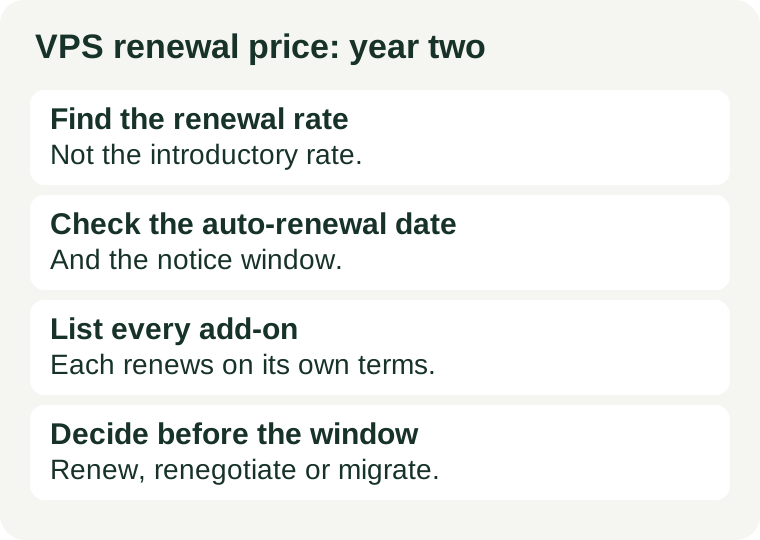
Why the second year surprises people
Three different clocks run on a VPS purchase, and they rarely line up. The promotion clock says how long the discount lasts. The contract clock says how long you committed for. The renewal clock says what happens when either of those ends. A plan can carry a three-month promotion inside a one-year contract, and then renew at a different rate for a different term — and each of those facts can live on a different page: the pricing page, the checkout summary, and the terms. Our guide to reading VPS promotion terms separates those three clocks; this checklist applies them to the one date that actually charges you money.
Price comparison tables answer a different question from this article. A table tells you what one provider charges versus another, on the day the table was written. It cannot tell you what your account will be charged on your renewal date, because that depends on your plan, your term, your add-ons, your region and your billing settings. Use tables to shortlist. Use this checklist to decide.
The 8-item renewal checklist
Work through these in order, and record each answer with the page or document it came from. An answer without a source is a guess, and a guess is how a surprise bill happens.
| # | Check | Where to find it | What counts as verified |
|---|---|---|---|
| 1 | Renewal rate | Pricing page renewal note, plan terms, or your account's renewal preview | A rate labelled as the renewal or regular rate for your exact plan, not the crossed-out introductory rate |
| 2 | Renewal term and billing period | Plan terms and checkout summary | Whether renewal bills monthly, yearly, or for a multi-year term — and whether that term differs from your first term |
| 3 | Auto-renewal setting and date | Account billing settings and renewal emails | Whether auto-renewal is on, the exact renewal date, and the payment method it will charge |
| 4 | Notice window and price-change clause | Terms of service and billing policy | How many days' notice the provider must give before a price change, and how many days you have to cancel before renewal |
| 5 | Mandatory fees | Checkout summary and invoice | Setup, licence, panel or support fees that are not part of the headline rate, and whether they renew too |
| 6 | Add-ons still billing | Account services list | Every add-on attached to the server — backups, extra storage, extra addresses, control-panel licences — with its own rate and renewal date |
| 7 | Tax and currency | Final invoice or checkout summary | Whether tax is included or added, and the currency actually charged, for your region |
| 8 | Exit terms | Cancellation documentation | Notice required, any fee for early exit, and what happens to data, snapshots and separately billed resources after cancellation |
Build your own second-year worksheet
Use this formula, with figures copied from your own account. If any input is unknown, leave it unknown — do not fill it with the introductory rate, a table's figure, or a guess. An honest blank is a reason to ask support; a filled-in guess is a budget built on air.
Second-year cost = renewal rate × renewal months + mandatory fees + add-on renewals + applicable tax. Then compare that total with the first-year total on the same basis. The comparison that matters is total-for-total over the same period, not headline-rate against headline-rate.
| Line | Your figure | Source |
|---|---|---|
| Renewal rate (per month, for your plan) | ||
| Renewal term (months billed at once) | ||
| Mandatory fees renewing with the plan | ||
| Add-ons still attached (each, with its own rate) | ||
| Tax treatment for your region | ||
| Second-year total |
Three renewal traps the headline rate hides
1. A renewal rate quoted for a different term
A provider can quote a low monthly figure that only applies to a multi-year prepayment, while your renewal bills yearly. The monthly figure looks comparable; the amount leaving your account is not. Always convert to the total for the term you will actually be billed.
2. A discounted renewal that requires a new commitment
Some renewals offer a lower rate only if you sign a new term. That is not a renewal — it is a new purchase decision, with its own exit terms. Read it as one: if you would not buy the plan fresh at that price and term, do not accept it as a renewal.
3. Add-ons that renew on their own schedule
Backups, snapshots, extra addresses and panel licences can each renew separately, sometimes on different dates from the server itself. A server cancelled in January can leave a backup add-on billing into March. Before cancelling anything, list every attached service and confirm what stops billing, and when. Our backup restore test is the other half of this check: before you migrate away at renewal, prove the backup you are moving to actually restores.
Renew, renegotiate, or migrate?
Once the worksheet is filled, the decision is usually obvious:
- Renew if the second-year total still beats the alternatives for the same resources, and the server still fits your workload. Check fit first with our first VPS guide — paying a renewal on an oversized or undersized server is the wrong saving.
- Renegotiate if the renewal total is high but migration would cost more in time and risk. Ask support, in writing, what rate and term apply — and keep the reply with your worksheet. A verbal discount that is not on the renewal preview is not a discount.
- Migrate if the renewal total no longer fits, or the plan no longer fits the workload. Migrate before the renewal date, not after it: test the restore on the new server first, then cancel the old one, then confirm every add-on stopped billing.
Put the dates in your calendar now
- Today: fill the worksheet from your account and save the sources.
- Before the notice window opens: decide renew, renegotiate or migrate. The notice window is your last cheap exit — after it, you are negotiating from inside a charge.
- One week before renewal: confirm the renewal preview amount matches your worksheet. If it does not, ask support before the charge, not after.
- After any cancellation: check the next invoice for add-ons still billing, and confirm data retention and deletion separately — cancellation, refund and deletion are different actions.
Questions people ask at renewal
Does the renewal price always go up? No. Some providers renew at the price you paid, and some at a published regular rate that may be higher, lower or the same. The only reliable answer is your plan's renewal note for your account — not a general rule, and not another customer's bill.
Can I switch terms at renewal, for example from monthly to yearly? Sometimes, and the terms for switching are in the plan terms, not on the pricing page. Ask support to confirm the new term's rate, billing date and exit terms in writing before accepting.
What if I cancel after the renewal charge? That depends on the refund terms for your plan, which may differ for the server and for add-ons. Check both before you cancel, and keep the cancellation confirmation.
Is the cheapest renewal the best renewal? Only if the resources, support and exit terms match. A cheaper renewal on an undersized server, or one that locks you into a term you cannot exit, can cost more than the saving.
Sources and review scope
This is a terms checklist, not a price comparison: it names no provider's renewal rate and quotes no prices, because renewal rates are account-, plan- and region-specific and change without notice. The method follows our promotion-terms guide. Check your provider's current pricing page, plan terms and account renewal preview before paying. This article contains no affiliate links.
← All guides · Read VPS promotion terms · Test your backup restore · How we verify offers