 KIKOMONO
The short answer
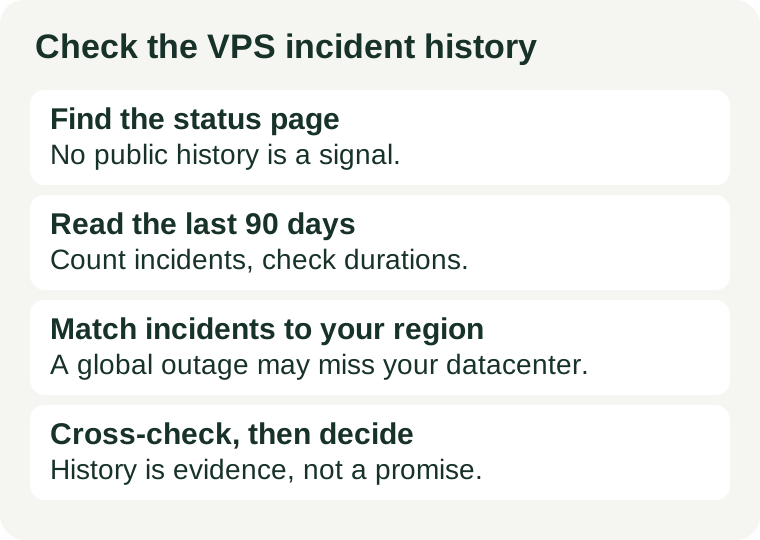
Find the provider's public status page, read the last 90 days of incidents, and ask three questions: how often did things break, how long did each break last, and did any of it touch the datacenter and product you would buy? Then cross-check the story against an independent uptime record. If there is no public history to read, note that down too — the absence of a record is a finding, not a clean bill of health.
1. Find the status page
Most established providers publish a public status page. Look for it in the footer, the help centre, or the support site — it is usually named "Status", "System status", or "Service status", and it lists current component health plus a history of past incidents. Large providers such as Hostinger and OVHcloud publish one; smaller providers often link theirs from the support pages or the knowledge base. Check the page as it exists on 2026-11-12: status pages change, and a link that worked last year may have moved.
If you cannot find a public status page at all, do not assume the provider has had no incidents. Ask support in writing whether one exists and where the incident history is published. A provider that answers with a link is showing you its record; a provider that cannot point to one is asking you to trust a promise with no evidence behind it. Note the answer either way — it belongs in your buying notes next to the SLA and the refund window.
2. Read the last 90 days
Ninety days is the shortest window that shows a pattern. One quiet month proves little; three months show whether outages repeat, whether one datacenter keeps failing, and whether incidents are resolved in minutes or drag on for hours. For each incident in the window, note four things:
- Frequency. How many incidents were there in 90 days? A provider with one short incident a quarter is telling a different story from one with an incident every week.
- Duration. How long did each incident last, from first report to resolution? Short incidents with a clear fix are normal operations; incidents that stay open for many hours are a capacity or process problem.
- Scope. Which products and datacenters were affected? An incident on the billing portal is not the same as an incident on the VPS hypervisors, and an outage in one datacenter is not the same as a global one.
- Communication. Did the provider say what broke, what it did, and when it was fixed — or did the incident just close with a one-line "resolved"? Clear post-incident notes are a sign of a team that learns; vague ones are a sign of a team that hopes you forget.
Write the numbers down, not just an impression. "Three incidents in 90 days, longest two hours, all in one datacenter" is a finding you can compare against the next provider; "seems reliable" is not.
3. Match incidents to your region and product
An incident only matters to you if it could hit your server. Providers with many datacenters scope most incidents to one location, so the first filter is always your region: an outage in a datacenter you will never use is not your risk. The second filter is the product: a status page covers the whole company, and an incident on shared hosting, the control panel, or the API is not the same as an incident on VPS nodes.
This is where the SLA and the history meet. Our uptime SLA guide explains how to translate a 99.9% promise into about 43 minutes of allowed downtime a month — now compare that allowance with the incident record you just read. If the history shows outages well beyond the SLA allowance, the guarantee is not being met in practice, and the credit table is the only remedy. If the history is clean for your region and product, the SLA is a backstop you may never need, which is the better outcome.
4. Cross-check with an independent record
A provider's own status page is a self-reported record, so check it against an independent one before you decide. Third-party uptime monitors publish their own histories for many providers, measured from probes outside the provider's network. They do not measure your server, and their probe points differ from your visitors' paths, so treat their numbers as a second opinion, not a verdict — but a large gap between the provider's history and the independent record is worth investigating.
Two checks are enough: pick one independent monitor that tracks the provider, and compare its 90-day incident count and uptime figure with the status page. If they roughly agree, you have two sources saying the same thing. If they disagree sharply, ask support about the gap in writing and keep the answer. A provider that explains a measurement difference is giving you useful information; one that dismisses the independent record without an explanation is not.
Red flags to note before you pay
Some patterns in an incident history should make you pause, even if the headline numbers look good:
- No published history. A status page that shows only "all systems operational" with no past incidents is not evidence of perfect uptime; it is evidence of no published history.
- A history that resets. If the page only shows the last few days, or older incidents disappear, you cannot verify the 90-day pattern this check depends on.
- The same datacenter, again and again. Repeat incidents in one location point to a local problem — power, cooling, network — that has not been fixed.
- Vague wording, every time. Incidents that never say what broke, or that always blame the customer or an upstream carrier, are not a usable record. A provider that never owns a fault is not giving you anything to plan around.
- Long, silent incidents. An incident open for many hours with no updates is worse than a short one with clear communication, because you cannot plan around silence.
None of these is an automatic rejection on its own — a small provider may have a short history for honest reasons. But each one lowers the confidence you should place in the reliability promise, and two or more together should send you to compare another provider before you pay.
After you buy: keep your own record
The incident history is a pre-purchase check, not a permanent substitute for your own data. Once the server is live, run an external uptime monitor of your own, checking at least every minute from outside the provider's network, and keep its history. At the end of the first month, compare your measured uptime with the SLA figure and with the incident history you read before buying — if your number is worse, open a ticket with the timestamps while the claim window is still open. And if support quality matters as much as reliability to you, run our support response check alongside this one, and keep the refund window from our refund window guide in mind for the first weeks, when a wrong choice is still cheap to undo.