 KIKOMONO
The short answer
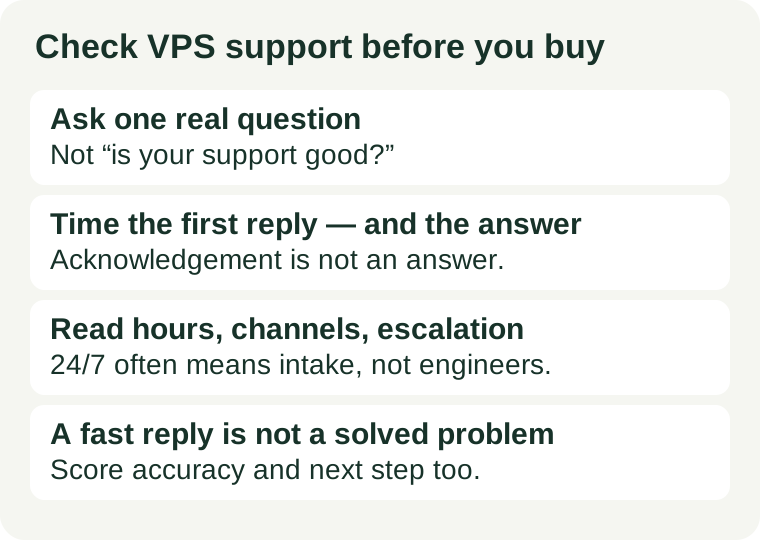
You cannot test outage support before an outage. You can test the next best thing: how the provider handles a real question from a not-yet-customer. Send one question that matters to your setup, through the channel you would actually use, and record four things: how long the first reply takes, how long the real answer takes, whether the answer addresses your case, and whether it names a next step. Then read the support scope page and compare. If the reply and the scope disagree, believe the scope — it is the document that governs when things go wrong.
Do this before you pay, for the same reason our refund window guide puts its check before the window closes: after migration, switching providers because support disappointed you is a second migration, not a complaint.
1. Ask one real question, not a test of friendliness
A question like "is your support good?" can only be answered with marketing. A question tied to your setup forces a specific answer, and a specific answer can be scored. Pick one question you genuinely need answered before buying, for example:
- Can reverse DNS be set on the plan I am considering, and who sets it — me or the provider?
- Does the provider's port policy apply to the plan I am considering, and is there a documented way to request a change?
- What happens to my data and my billing if I cancel mid-cycle — is there a refund, a credit, or neither?
Any one of these works. What matters is that the answer is checkable: you can tell whether the reply answered your question, linked to a general article without answering it, or answered a different question entirely. Write the question down before sending it, so a friendly but empty reply cannot retroactively feel like an answer.
Send it through the channel you would use in trouble — ticket, chat, or email — not the channel that looks fastest. A sales chat that answers in seconds tells you about the sales queue. If your plan's support runs on tickets, the ticket queue is the one to test. And never include credentials, private keys, or customer data in a test message; a real question never needs them.
2. Score the reply on four things
When the reply arrives, score it before the glow of a fast response fades. Four measures, each recorded with the date, channel, and plan you asked about:
| Measure | What good looks like | What weak looks like |
|---|---|---|
| Time to first reply | An acknowledgement within the window the provider publishes, if it publishes one | Silence past the published window, or no published window at all and no reply for days |
| Time to a real answer | A substantive answer, or a clear statement of what is being checked and when to expect it | Repeated acknowledgements with no answer, or an answer that restates your question |
| Does it answer your case? | Names your plan, your constraint, and the condition that applies to you | Links to a general help article that does not mention your constraint |
| Does it name a next step? | A concrete action, owner, or document — "open a ticket after ordering" or "see this policy section" | "Let us know if you need anything else" with nothing to act on |
One reply is a sample, not a verdict. A single slow answer on a busy day does not condemn a provider, and a single fast answer does not certify it. What one reply reliably exposes is the floor: copy-paste answers, wrong-plan answers, and replies that never arrive are all visible in one test, and none of them improve after you have paid.
3. Read the scope page, then compare it with the reply
The reply tells you how the provider behaves; the scope page tells you what it commits to. Before deciding, read the provider's support or service pages for four answers:
- What is covered? On an unmanaged plan, the provider typically covers the host, the network, and the hardware, while the software inside the server is yours. On a managed plan, more of the inside is theirs. If you cannot administer a server yourself, the scope matters more than the price — see our first VPS guide for settling that question before you choose a plan.
- Which channels exist, and when? Ticket, chat, and phone are different queues with different hours. "24/7" often means tickets can be submitted and acknowledged around the clock, not that an engineer works your case at 3 a.m. Check whether deeper work follows business hours or an escalation queue.
- How does escalation work? A first-line reply that cannot solve a host-level problem is only useful if there is a documented path upward. Look for what triggers escalation and what the next tier handles, not just for the word "escalation" on the page.
- What is the status page habit? An outage you discover from the provider's status page is a different experience from one you discover from your own monitoring. Check whether the provider publishes a status page and whether past incidents show start times, updates, and resolutions — a page with no history tells you nothing about incident honesty.
If the reply promises something the scope page does not — faster help, wider coverage, a service the plan does not include — treat the scope page as the truth and the reply as a sales answer. Keep both: save the reply and the scope page's wording with the order, so a later dispute is about documents, not memory.
4. When the support test should change the decision
The test changes the decision in three situations. First, when the plan is unmanaged and you cannot administer the server: then support scope is the product, and a shallow reply is a reason to pick a managed plan or a different provider, not a reason to hope. Second, when the reply contradicts the scope page: a provider whose front line does not know its own terms will not know them during an outage either. Third, when the only thing the provider does well is sell: a fast sales chat paired with a ticket queue that never answers is the most common version of good support on paper and bad support in practice.
The test should not change the decision on its own in one case: a single slow reply from an otherwise well-documented provider with a clear scope, a real status page, and a ticket queue that eventually answers properly. Support quality is a pattern, and one data point is the start of a pattern, not the whole of it. If the decision is close, a second question on a different day is cheap — far cheaper than a migration.
Support also decides how much the rest of your checklist matters. A backup you cannot restore alone is a support conversation — see our backup restore test — and a firewall rule you cannot diagnose alone is one too. The less you can fix yourself, the more weight this check carries.
What not to do
Do not judge support by sales chat speed, do not stage a fake emergency, and do not buy first and test support later. Sales speed measures the sales queue. A fake emergency wastes a queue other customers wait in and proves nothing about real outage handling. And testing support after migration means the answer arrives when leaving already costs you a move.
Do not send the same test question to five providers and pick the fastest reply. Speed without accuracy is a fast wrong answer, and a provider that answers your exact constraint correctly in a day beats one that answers a different question in a minute. Score all four measures, not just the clock.
Checked 2026-11-05. This guide claims no provider's response times or support terms: those differ by provider, plan, and hour, and change without notice. Read the current support scope page of the provider you are considering, and run the one-question test on the plan you actually intend to buy.