 KIKOMONO
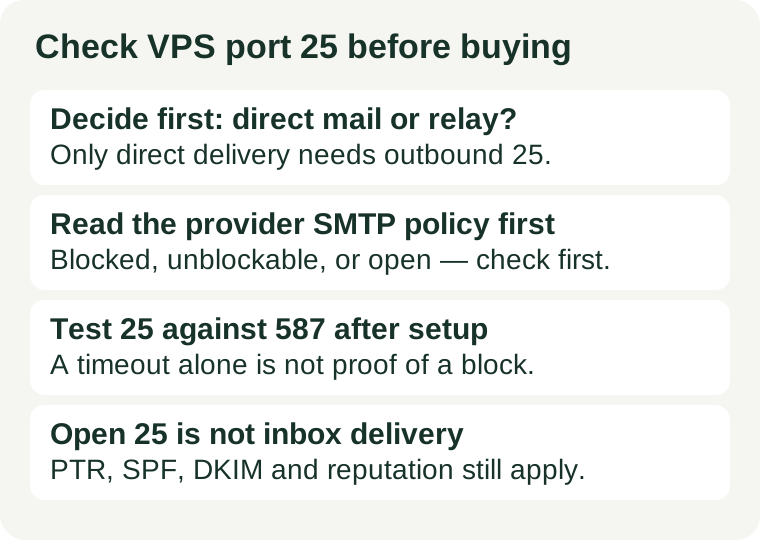
The short answer
Port 25 is the port mail servers use to talk to each other. When your server delivers mail directly, it connects to the recipient's mail server on port 25, unauthenticated, and hands the message over. Port 587 and port 465 are different jobs: they are submission ports, for an authenticated application or mail client handing mail to a relay or provider that delivers it onward. Confusing those two jobs is the most common cause of a wasted VPS purchase for mail.
So the check has a fixed order: decide which job you actually need, then read the provider's policy for that port, then test it after provisioning. A provider that blocks port 25 is not necessarily a bad host — it may be exactly right for a website that sends its mail through a relay. It is only a bad purchase if direct delivery was the plan and nobody checked.
1. Decide the task first: direct delivery or relay?
Write down, in one sentence, what mail the server must send and how it will send it. The answer sorts every VPS into usable or not:
| Your plan | Port that matters | What to check before buying |
|---|---|---|
| Run your own mail server, delivering directly to recipients' servers | Outbound 25, plus inbound 25 if you also receive mail | Whether outbound 25 is open, unblockable, or closed for good |
| Send application mail (password resets, receipts, notifications) through a relay | Submission port 587 or 465 to the relay | Whether that submission port is open, and which relay account you will use |
| Send no mail from the server at all | None | Nothing — a port 25 block is not a reason to reject an otherwise good server |
For most small sites, the second row is the right plan. A relay exists precisely so a small sender does not have to build a sending reputation from a fresh hosting address. Only choose the first row deliberately, knowing it also means reverse DNS, sender authentication, bounce handling, and reputation building are now your jobs — see the last section before committing to it.
One more distinction, borrowed from our IP blocklist guide: check the address mail receivers will judge. If mail goes through a relay, receivers judge the relay's address, not your server's. A port 25 check on your server then answers a question nobody asked.
2. Read the provider's SMTP policy before you pay
Do not take the sales page's word for it. Search the provider's help centre or documentation for its SMTP or port 25 article — that is the document that governs, not a marketing page. You are looking for four answers, and a policy that does not answer one of them is an answer in itself:
- Is outbound port 25 blocked by default? Many providers block it on new accounts as an anti-abuse measure, because a compromised server with open outbound port 25 can send spam directly to every receiving mail server.
- Can it be unblocked, and how? Policies fall into three kinds: open by default, blocked with a documented unblock request (typically a support ticket describing a legitimate use case, sometimes with account-age or billing conditions), and blocked with no unblock path. Only the provider's own article tells you which kind you are buying.
- What about ports 587 and 465? Do not assume a relay route is open just because port 25 is the blocked one. Some providers block submission ports too, and some relays publish an alternate submission port for exactly that situation — check both the provider's policy and the relay's documentation.
- What does the acceptable use policy allow? An open port is not permission to send bulk mail. Read what the provider permits — transactional and opt-in mail are usually treated very differently from cold outreach or purchased lists — and do not build a sending plan the policy forbids.
Ask the provider in writing before paying if the article is vague, and keep the answer with the order. A pre-sales question costs minutes; a post-migration unblock refusal costs the migration. The same timing rule runs through our refund window guide: the check belongs before the window closes, not after the domain has moved.
3. Test it after provisioning, and read the result correctly
Policy reading tells you what should happen; a test tells you what does happen on your server. From the server, test outbound connectivity to a real mail destination on port 25 and to your relay on port 587, for example:
nc -vz -w 5 gmail-smtp-in.l.google.com 25
nc -vz -w 5 smtp.your-relay.example 587
Replace the relay hostname with your relay's real hostname. If you do not have a relay yet, the port 25 test alone still tells you whether direct delivery can even start. Read the pair of results together:
| Port 25 result | Port 587 result | Most likely reading |
|---|---|---|
| Connects | Connects | Both routes are open; proceed to the authentication and DNS checks below |
| Times out | Connects | Consistent with a provider port 25 block — confirm it against the published policy |
| Times out | Times out | Not yet a diagnosis: check your own firewall first, then routing and the destination |
| Refused immediately | Connects | A firewall or filter is rejecting the connection; check your own rules before blaming the provider |
A timeout alone proves nothing — a firewall that drops packets, a routing problem, and an unreachable destination all look the same from the sending side. That is why the comparison test, your own firewall rules (see our firewall guide), and the provider's policy all belong in the same diagnosis, and why a single failed command is never enough to file a support ticket claiming a block.
If the test confirms a block and your plan needs direct delivery, you now have three honest options, in this order: request the unblock if the policy offers one, switch to a relay for the mail the site actually needs, or move providers before the refund window closes. What does not work is installing a mail server first and hoping the port opens itself — it will not.
4. An open port is not inbox delivery
Even with outbound port 25 open, a fresh VPS address starts with no sending reputation, in an address range receivers already associate with hosting traffic. Before sending anything real, confirm the four items receivers actually check:
- Reverse DNS (PTR). The sending IP should resolve back to a hostname under your control, matching the hostname your mail server announces. Only the address owner — usually the provider — can set it, so confirm the provider lets you set it.
- SPF, DKIM, and DMARC. These DNS records tell receivers which servers may send for your domain, sign messages so tampering is detectable, and state what to do with mail that fails those checks. A missing or wrong record is a common reason well-intentioned mail is refused.
- Blocklist status. Addresses are reused, so a fresh server can inherit a previous tenant's listing. Run the check in our IP blocklist guide on the sending address before launch.
- Warm-up and volume. Start with low volumes of mail people expect — account messages, not a backlog — and grow gradually. A sudden burst from an unknown address looks like the abuse the port blocks exist to stop.
If you also receive mail on the server, add inbound port 25 and the domain's MX record to the same checklist: mail cannot arrive if the receiving port is filtered or the MX record points elsewhere. And if the server sends over IPv6, check that address and its reverse DNS separately — see our IPv6 guide, since an IPv4 result says nothing about IPv6.
What not to do
Do not buy first and check the mail port later, and do not treat a timeout as proof of a provider block. The first mistake turns a policy question into a migration; the second turns a firewall or routing problem into a support argument. Decide direct or relay, read the policy, test both ports, and only then commit the domain and the mail to the server.
Do not build a bulk-sending service on the assumption that an open port 25 is a sending licence. The port is one gate among several, the acceptable use policy governs what you may send, and reputation is earned by sending mail people asked for — slowly, from a correctly configured server, with bounces read and acted on.
Checked 2026-11-05. Provider SMTP policies, relay ports, and acceptable use terms change; confirm the current policy on the provider's own help pages before you buy or migrate mail to a server.