 KIKOMONO
The short answer
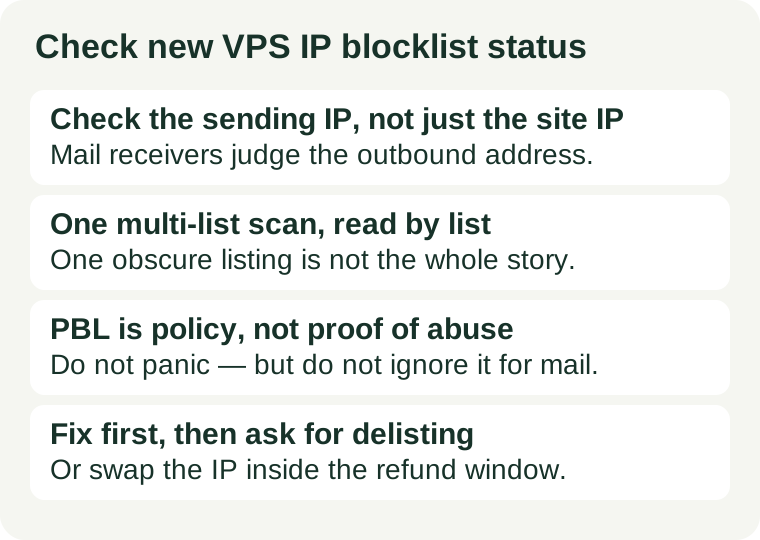
A blocklist — also called a DNSBL or DNS-based blocklist — is a list of IP addresses that mail servers consult before accepting mail. If your sending IP is on a list a receiver uses, that receiver may refuse, delay, or filter your mail. The check is free, takes minutes, and has one timing rule that matters: do it inside the provider's refund or replacement window, so a bad inherited address is the provider's problem to swap, not your migration project. Our refund window guide explains how to find that window before you pay.
Two distinctions keep this check honest. First, check the address mail receivers will judge, not just the address your website sits on — those can differ. Second, not every listing means the same thing: an abuse listing and a policy listing call for different responses, and a single obscure list is not the same as a listing on a list major receivers use. Read the result list by list, and act on what each listing actually says.
1. Find the exact IP to check
A clean result for the wrong address proves nothing, and this is the step most often skipped. Work out which addresses matter for your setup:
- The server's public IPv4 address. The hosting panel shows the address assigned to the server. Confirm it from the server itself if you can, so you are not checking an address from an old invoice or a different server.
- The outbound mail address. This is the address mail receivers see. If the server sends mail directly, it is usually the server's public address. If mail goes through a relay, a provider SMTP service, or a transactional mail service, receivers judge that service's address, not yours — and a blocklist check of your server address says nothing about your mail delivery.
- IPv6 separately, if you use it. An IPv4 result says nothing about the IPv6 address, and vice versa. If you send mail over IPv6, check that address too, and check that reverse DNS is set for it — see our IPv6 guide for the reverse DNS questions to ask.
If you send from more than one address — a main server and a backup, for example — check each one. A bounce message is also a clue worth keeping: when mail is refused because of a blocklist, the bounce usually names the list, and that name tells you exactly which operator to deal with instead of guessing from a general scan.
2. Run one multi-list scan
There is no single central blocklist, and no one list that matters everywhere. Each list is run by an independent operator with its own criteria and its own removal process, so a scan has to ask many lists at once. Use a free multi-list checker — MXToolbox's Blacklist Check is the widely used example — paste in the sending IP, and let it query the lists in one pass. You do not need an account or paid tool for this check, and you do not need to check lists one by one by hand.
Read the result as a list of separate answers, not as a single score:
| Result | What it means | First response |
|---|---|---|
| Not listed anywhere that answered | No answering list flags the address | Proceed, and note the date of the check |
| Listed on Spamhaus lists (SBL, XBL, CSS) | An abuse-related listing on lists major receivers use | Find the cause, fix it, then request delisting |
| Listed on Spamhaus PBL only | A policy listing, not an abuse finding | Decide on mail routing before you send directly |
| Listed on one obscure list only | A narrow listing with limited receiver coverage | Check what that list's listing means before acting |
| Some lists did not answer | Those lists are unknown, not clean | Re-run the scan; never report an unknown as clear |
The last row matters more than it looks. A checker that could not reach a list cannot vouch for it, and a headline that says "clean" is only as good as the lists that actually answered. If a list timed out, re-run the scan rather than treating silence as a pass.
3. Read the Spamhaus result carefully
Spamhaus is the operator most mail receivers consult, and its combined ZEN list merges several of its lists, so one ZEN hit needs unpacking before you act. The listing type, not just the fact of a listing, decides the response:
- SBL, XBL, and CSS listings are abuse listings. They point at spam, compromised machines, botnet traffic, or bad mailer behaviour associated with the address. On a fresh server that has sent nothing, the likely story is a previous tenant; on a running server, it is a live problem on your machine. Either way, the listing type tells you to look for a cause, not just to file a removal request.
- A PBL listing is a policy listing. It covers ranges that should not send mail directly, and it is not a finding that anyone spammed from your address. That distinction changes the fix: if you will send mail directly from this server, a PBL listing can still get your mail refused, so you need a removal request for that range or a different sending route. If you will never send mail directly, a PBL listing on its own is not a reason to abandon an otherwise good server.
- A range listing is not yours to fix alone. If the listing covers a whole block rather than your single address, the provider owns the range-level problem. Tell the provider, with the scan result, and ask what it will do — a single-address delisting request cannot clear a range listing.
Do not pay a third party that promises to remove a listing for you. Each list runs its own removal process, and only that list's operator can remove an entry. Anyone selling removal is, at best, filing the same free request you can file yourself.
4. Decide: proceed, fix, or swap
Three outcomes, three different moves. Picking the wrong one wastes the refund window.
Clean: proceed and write it down
A clean scan is a green light, not a guarantee. Note the date, the address checked, and which checker you used, so a later bounce can be compared against a known baseline. A clean check also does not certify mail delivery on its own: reverse DNS, sender authentication, and the sending domain's history all weigh in as well, which is why a later deliverability problem still needs its own diagnosis rather than a repeat of this one check.
Listed, and the server is fresh: ask for a swap or a delisting
If the server has sent nothing and the listing predates your use, say so plainly in both directions. To the provider: the address arrived listed, here is the scan, and you want a clean replacement address inside the refund or replacement window. To the list operator, if you pursue delisting instead: the address was recently reassigned, you are the new holder, and no mail has been sent from it under your use. Either route is reasonable; the mistake is waiting until the window closes and the address is already tied to your domain, your mail, and your visitors. And check the replacement address too — a swapped-in address can carry its own inherited listing.
Listed, and your server is the cause: fix first, then request delisting
If the server has been running, find what triggered the listing before touching any removal form. Common causes are a compromised website sending spam through a script, a misconfigured mail service acting as an open relay, or an application with credentials that leaked. Stop the sending, remove the compromised code or close the relay, and confirm the server is quiet. Only then request delisting from the operator that listed you, describing what was wrong and what changed. A request filed while abuse is still flowing is likely to be refused, and a listing that returns after removal is a sign the cause was never actually fixed.
5. Recheck, and keep the check cheap
After a delisting, recheck after a few days and again after a couple of weeks. A quiet period is the confirmation that the fix held; a returning listing is information, not bad luck, and it means the cause hunt resumes. Beyond that, recheck whenever a bounce names a blocklist, and whenever the server changes hands, moves provider, or gains a new sending address. For a small site that does not send mail directly, that event-driven rhythm is enough — this is a check to run when something changes, not a dashboard to watch daily.
The same discipline runs through our other pre-launch checks: our backup restore guide makes the same point for recovery — the time to discover a broken safety net is before you need it, not during the incident. A blocklist check belongs in that same first-week routine, next to the storage, speed, and refund checks, because all of them share one property: they are cheap before launch and expensive after.
What not to do
Do not request delisting before fixing the cause, and do not treat one checker headline as the whole answer. A removal request filed while spam is still leaving the server is likely to be refused and makes the next request harder. And a single scan result is a snapshot of the lists that answered on that day — it is not a certificate for the address, and it says nothing about the addresses you did not check.
Do not build a mail-sending service on an address you have not checked, and do not assume a provider's address pool is clean because your last server was. Addresses are recycled, listings follow the address rather than the customer, and every new server starts with an unknown reputation until you check it.
Checked 2026-11-04. Blocklist operators, their lists, and provider address policies change; confirm the listing type and the removal process on the operator's own pages before you act on a result.