 KIKOMONO
The short answer
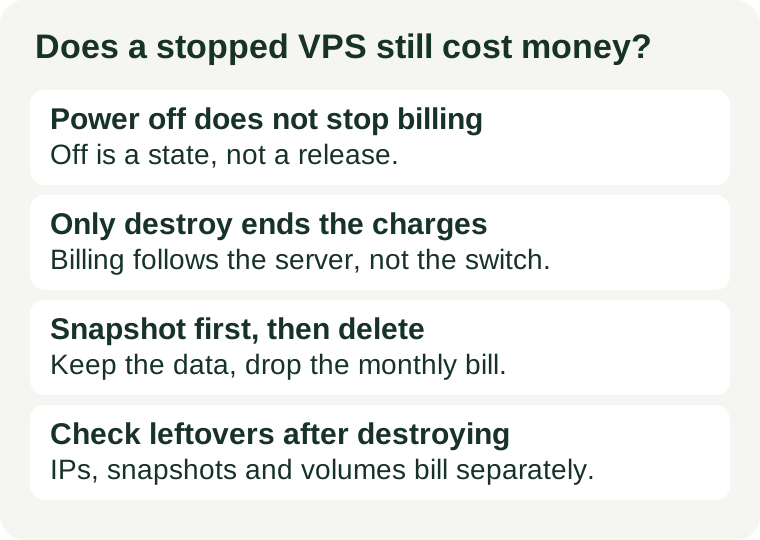
Stopping a VPS is a power change, not a billing change. On DigitalOcean, Vultr and Hetzner — the three providers whose official billing pages we checked on 2026-11-13 — a server that exists keeps billing whether it is running or not. Billing starts when the server is created and ends when it is destroyed or deleted. If you want to stop paying, you must remove the server, and before you do that you must save the data you want to keep, because destroying it deletes the disk.
1. Why stopping does not stop billing
A VPS is a slice of a physical machine: a fixed share of CPU, a fixed amount of RAM, a fixed disk, and an IP address. When you power the server off, the provider does not hand that slice to another customer. It stays reserved for you so the server can start again in seconds with the same disk, the same configuration and the same address. Reserved capacity is what you are paying for, and the power state does not change the reservation.
That is the logic all three providers give in their own words: DigitalOcean says the compute resources stay reserved on the hypervisor; Vultr says the stopped instance continues to reserve CPU, RAM, SSD storage and IP addresses; Hetzner says it allocates full resources to a server regardless of its power state, which is what makes startup fast. Three different providers, one reason: off is a state, not a release.
2. Three verified examples, checked 2026-11-13
Do not take the rule from a roundup. These are the providers' own billing pages, read on 2026-11-13. Terms change, so treat the live page as the authority and these as dated examples.
DigitalOcean: powered-off Droplets still bill
DigitalOcean's Droplet pricing documentation states that billing begins when you create a Droplet and ends when you destroy it, and that you are still billed for bundled-plan CPU Droplets that are powered off because the compute resources stay reserved on the hypervisor. Its own command reference says the same thing in one line: Droplets that are powered off are still billable, and to stop incurring charges, destroy the Droplet. Official pricing docs.
Vultr: stopping does not suspend billing
Vultr's billing documentation states that hourly charges begin when a server is deployed regardless of whether it is powered on or off, and that servers stopped but not destroyed continue to incur hourly charges for reserved resources such as compute, storage and IP address allocations. Its stop-instance guide says the same: stopping halts the operating system and all running processes, but billing continues until you delete the instance. Official stop-instance guide.
Hetzner: billed until you delete it, whatever its state
Hetzner's Cloud billing FAQ answers the question directly: yes, you pay for a server that has completed the creation process for as long as it exists, regardless of whether it is turned on or not, and it bills servers until you delete them, independent of their state. The same FAQ suggests the workaround used in section 4 below: take a snapshot and delete the server, then recreate it from the snapshot later — while warning that snapshots are not free. Official billing FAQ.
3. Three states, only one of which ends the bill
Providers use overlapping words for different actions. Before you click anything, know which state you are choosing:
- Shut down from inside the operating system. The system halts cleanly. The server still exists, its resources stay reserved, and billing continues. This is the graceful way to stop a workload, not a way to stop paying.
- Power off from the provider's panel. The equivalent of cutting the power. The server still exists, its resources stay reserved, and billing continues. Some providers warn that a hard power-off can cause complications if a graceful shutdown fails first — use shutdown first, then power off if it does not respond.
- Destroy or delete. The server is removed, its resources are released, and billing ends. The disk and everything on it is permanently deleted. This is the only one of the three that stops the charges, and it is the only one you cannot undo.
A stopped server is still a useful state: it is the right choice when you will restart the same server soon and want the same disk, configuration and address waiting for you. It is the wrong choice when the server will sit idle for weeks and you only wanted the bill to stop. Match the action to the goal, and the goal here is the billing, not the power.
4. The cheaper pause: snapshot, then destroy
If the server will be idle for a long stretch but you may need it again, the snapshot-and-destroy route is the one Hetzner itself suggests, and the same shape works on other providers. Do it in this order:
- Back up the data you cannot lose, outside the provider. Download the database, the site files and the configuration. A snapshot is not a backup until you have tested restoring from it — our backup restore guide covers the test.
- Take the snapshot. Check the snapshot price before you rely on it: snapshots are a separate billable product on many providers, and the price is usually per gigabyte per month. Compare it with the stopped server's monthly price; a snapshot is normally far cheaper, but confirm the number for your disk size instead of assuming it.
- Destroy the server. Only after the snapshot exists and you have confirmed it. Then check the billing page: the server's charges should stop, and only the snapshot's charges should remain.
- Recreate from the snapshot when you need it again. Expect two differences from the old server: the IP address will usually be a new one, so update DNS, and the exact plan may not be available in that location any more, so check before you promise a return date.
Do not skip step one. A snapshot lives inside the same provider's system; if the account, the project or the snapshot itself has a problem, the off-provider copy is the one that saves you.
5. Leftovers that keep billing after you destroy the server
Destroying the server ends the server's bill. It does not automatically end everything attached to it. After every destroy, open the billing page and check these four items, because each is billed separately on many providers:
- Reserved or floating IP addresses. An address that is no longer assigned to a server can still be billed — DigitalOcean, for example, charges for unassigned reserved IPv4 addresses. Delete or release addresses you no longer need.
- Snapshots. The snapshot you took to preserve the server keeps billing per gigabyte until you delete it. Remove snapshots of servers you will never recreate.
- Attached volumes and block storage. A volume is a separate resource from the server it was attached to, and it can survive the server. Detach and delete it explicitly.
- Automatic backups. Some backup products disappear with the server; others are kept and billed. Read the provider's backup page for your exact product instead of assuming the backup went with the server.
One more timing point: many providers bill in arrears, so an invoice that arrives after you destroy a server can still cover usage from before the destroy date. A final invoice after deletion is not by itself proof that billing continued — compare its dates with the destroy date before opening a dispute.
The five-minute check before you power off
Do this once, before the server goes quiet:
- Open your provider's billing FAQ and find the sentence about powered-off or stopped servers. If there is no such sentence, ask support in writing and keep the answer.
- Decide the goal: a short pause with the same server coming back, or a long idle period where the bill should stop. Short pause — power off is fine. Long idle — snapshot and destroy instead.
- If you destroy, save the data off the provider first, take the snapshot, and confirm it exists before you click destroy.
- After destroying, check the billing page for reserved IPs, snapshots, volumes and backups, and delete what you do not need.
- Write down the destroy date. If a later invoice looks wrong, that date is the first fact support will ask for.
Our refund window guide covers the same discipline for the first weeks of a plan, and our renewal price guide covers the other end of the timeline — the price you pay in year two. Stopping, refunding and renewing are three different billing decisions, and each one has its own deadline. The stopped-server rule is the simplest of the three: the bill follows the server's existence, not its power switch.