WRITE & CHECK
Turn notes into a draft
Specify the facts, audience and missing details. Check the answer against your own notes.
 KIKOMONO
FREE AI TOOLS
For coding, compare Copilot Free and Cursor Hobby below. For documents, prepare readable text and verify the answer. A free app does not make every model or API free.
WRITE & CHECK
Specify the facts, audience and missing details. Check the answer against your own notes.
CODE & REVIEW
Compare current free coding plans. Keep the original code and verify the final change.
READ & VERIFY
Check whether you need OCR, preserve page labels and compare numbers with the original.
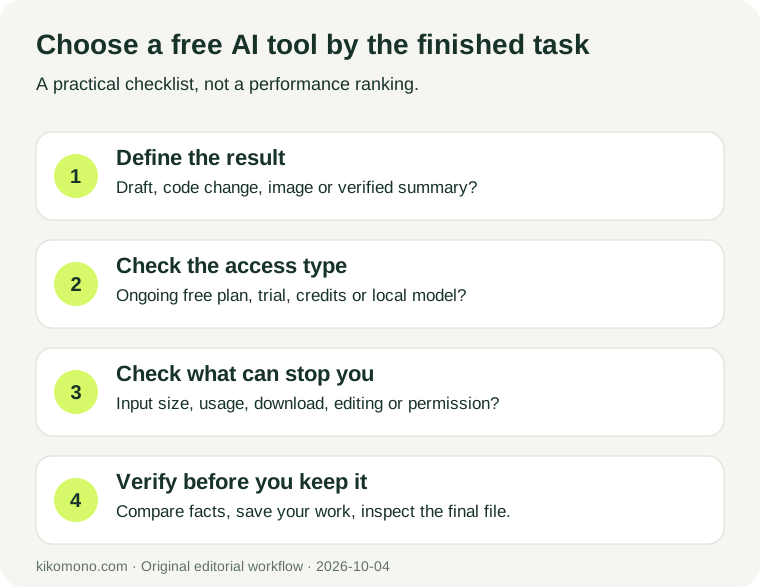
Check a saved file before building your workflow around a free plan. Our export exercise includes practice notes and the values to look for.
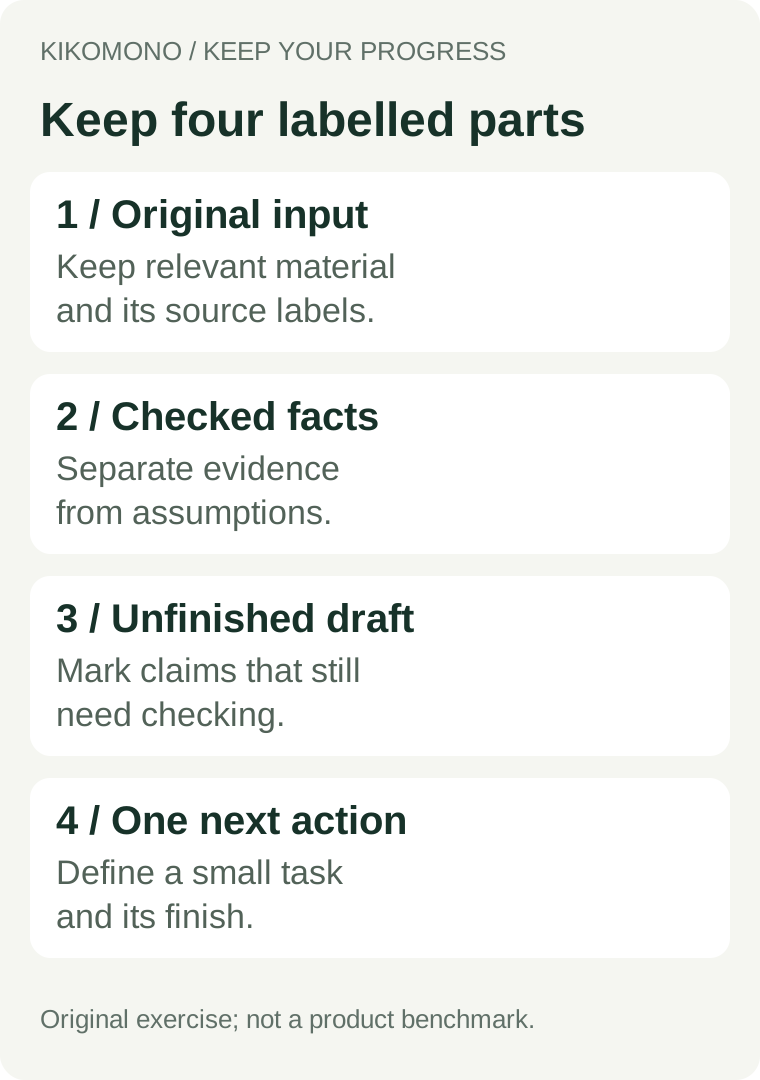
Record the exact blocked step and any reset time shown by your account. Save your original input, checked facts, unfinished draft and the next step in a file. Leave missing details as UNKNOWN.
Our Cedar practice case uses 8 seats, 6 confirmed participants and 3 people waiting. The remaining 2 seats are derived from capacity minus confirmed bookings; the waiting list stays separate. Use the save-and-resume template and worked example.
| Tool / plan | Access type | Limits to check | Source / reviewed |
|---|---|---|---|
| GitHub Copilot Free | Free AI coding plan | Limited chat and agent usage. Feature access differs from paid plans; check your editor and eligibility. | Official plan comparison Listed as available Reviewed 2026-10-04 |
| Cursor Hobby | Free entry plan for the Cursor editor | The current Hobby page lists limited Agent requests, Composer access and no credit card required. A model-provider API is a separate service. | Official pricing Listed as available Reviewed 2026-10-04 |
A free plan, a timed trial, promotional credits and downloadable model weights are different things. Check region eligibility, payment-method requirements, renewal behaviour, data handling and the limit relevant to your task. Use the official plan page and signup screen to check those conditions.
No. A continuing free tier and access that ends after a stated time have different stopping points. Check the end date, export conditions and renewal behaviour on the official page.
Save your original input, checked facts, unfinished draft and one next action in your own file. Record the exact limit notice; a new chat does not guarantee a restored allowance. Follow the recovery steps above.
First compare the extracted text with the page image. Check numbers, units and row headings before using the summary.
The dates above show when we reviewed the sources. Check the official page and your account for later changes. If a source cannot be checked, we mark it unverified rather than assuming the plan has ended.
The plan links above are direct official links, not affiliate links.
Start with one useful task · Choose a coding assistant · Verified offers