 KIKOMONO
Watch the video version · 1:12
Cursor what to check before buying
We tested the free tier
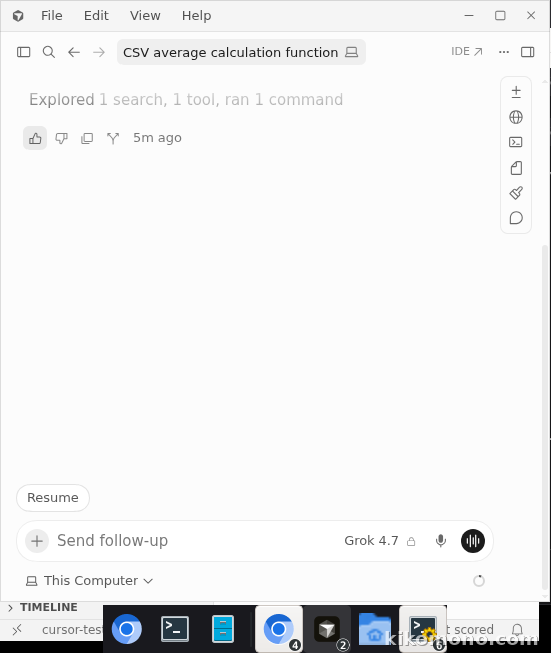
On 2026-11-16 we installed Cursor 3.30.14 on a clean test machine and signed in with email verification. Signing in with Google was blocked on that machine because the device was unrecognized, so we used an email code and a confirmation link instead. We then gave the agent one fixed task: write a Python function that reads a CSV file and returns the average of a named column, plus a small unit test for it. The agent used the Grok 4.7 model.
The agent wrote the function and the test, and the test passed (1 test, 0.002s). No paywall or upgrade prompt appeared at any point, and usage-based pricing stayed off with a hard limit of $0. After the task, the dashboard showed "Your included usage: 4% used".
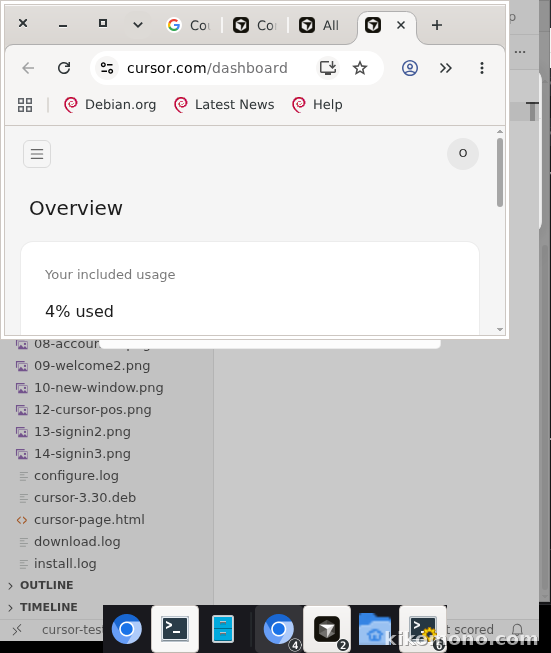
The free tier limit is real but the allowance is usable: one small agent task cost 4% of the included usage. The limit to watch is agent requests, which run out first, so save them for one deliberate test, not every small question.
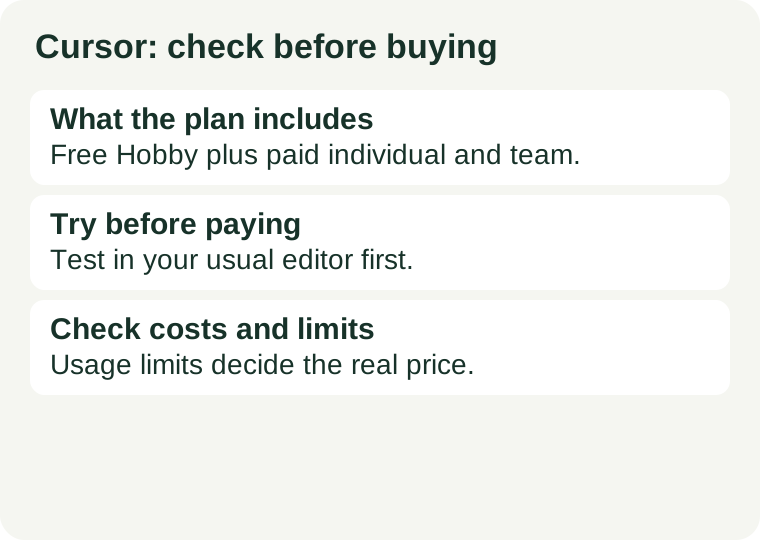
What the plan includes
As loaded on 2026-10-28, the official pricing page shows a free plan and four individual paid cards, plus team and enterprise options. Prices below are as the page showed them on that date — plan names changed during 2026, so check the current page before buying.
| Plan | Monthly price | What it gives |
|---|---|---|
| Free | $0 | Limited AI usage, limited agent requests and limited chat requests |
| Plus | $8 | Shared AI usage pool; Grok models only |
| Premium | $30 | 4x more usage than Plus; third-party models available, billed separately by usage |
| Super | $100 | 15x more usage than Plus; third-party models available, billed separately by usage |
| Ultra | $200 | Appears only in the comparison table |
| Teams | $30+ per user | Listed separately |
| Enterprise | Custom | Listed separately |
Two things on the page deserve a second look. First, the page no longer uses the “Hobby” name for the free plan, and it mixes Cursor editor features with Grok and X features — check which features apply to the editor before buying. Second, Plus carries a footnote that only Grok models are available on that plan. If you pay for Plus expecting your usual model, you may find it is not included, and third-party models on Premium and Super are billed separately by usage. Subscriptions are sold directly by Cursor.
One caution on the free plan: the “Hobby” description — free, no credit card required, limited Agent requests and access to the Composer editing flow — comes from our Cursor free-access guide, last verified 2026-10-11. The pricing page as loaded on 2026-11-02 shows a free card ($0, limited AI usage, limited agent and chat requests) without the Hobby name, Composer terms or card terms, so re-confirm the free tier's terms on the page before you rely on them. Our Cursor vs GitHub Copilot free plans comparison covers what each free tier runs out on first.
What runs out first on the free plan
The free tier runs out on Agent requests first. That is the feature that plans and edits across several files for you, and it is also the most expensive thing to give away — so a handful of real agent tasks, a small feature, a multi-file fix or a refactor, is enough to spend it. The editor itself keeps working once Agent requests are spent, along with smaller AI help around your code. So save your Agent requests for one deliberate test, not for every small question: ask the editor's smaller AI help, or search, for the small stuff. A limit reached on a finished test project is information; a limit reached mid-project is a planning lesson. See the free-plans comparison, checked 2026-10-26, for how this differs from GitHub Copilot's free tier, where inline completions have a separate allowance.
The editor switch is part of the price
Cursor is a whole editor, built on VS Code. Adopting it means moving your extensions, keybindings, settings and habits — and then moving them back if you leave. For an experienced developer that is an afternoon; for a beginner still learning where anything is, it is a real cost, paid in confusion at exactly the moment learning is already hard. That is why the free tier is best tried on one small, finished project, not on the project you care most about: the Agent limit should find you at a natural stopping point, not mid-feature. If you have already decided you want agent-led, multi-file work as your main way of coding, the switch is worth paying — but judge the editor on that one finished test, not on the demo.
Try this before paying
Try fixing one bug in a project you know. Read the diff and run the tests before keeping the change. Check the included usage before turning on extra billing. A useful one-week test: pick one small project you can finish in a week — a single web page, a tiny script, a small fix to an existing project — and use only the free tier on it. Give the agent one well-described job, review the whole diff, and note whether the review taught you anything. If reviewing felt harder than writing the code yourself, you do not need agent help yet — you need typing help. Our coding assistant checklist walks through the same trial step by step.
Check the costs and limits
A subscription does not mean unlimited use of every model. Check model usage, additional billing and taxes. Prices on the page exclude applicable taxes and fees and are subject to change, and the plan structure shifted repeatedly during 2026 — the page you read on the day you sign up is authoritative, not this guide. Before paying, check whether exceeding the included usage stops work or creates another charge, and review the renewal and cancellation terms. Avoid unofficial subscription resellers. And keep the decision tied to the job: pay for the thing you ran out of, not for the longest feature list. If you ran out of Agent requests doing multi-file work, that is what a paid plan is for; if you never ran out of anything, the free tier is doing its job.
Official sources
Source review date: 2026-10-28. The free tier was tested hands-on on 2026-11-16 (see the test section above); pricing details are from the official documentation. Source links are not affiliate links. Free-tier details are also covered in our free-plans comparison, checked 2026-10-26, with the Hobby description last verified 2026-10-11.
← All AI tools · Compare the free plans · Try it first: the checklist · The alternative: GitHub Copilot · Save your progress before a free limit