 KIKOMONO
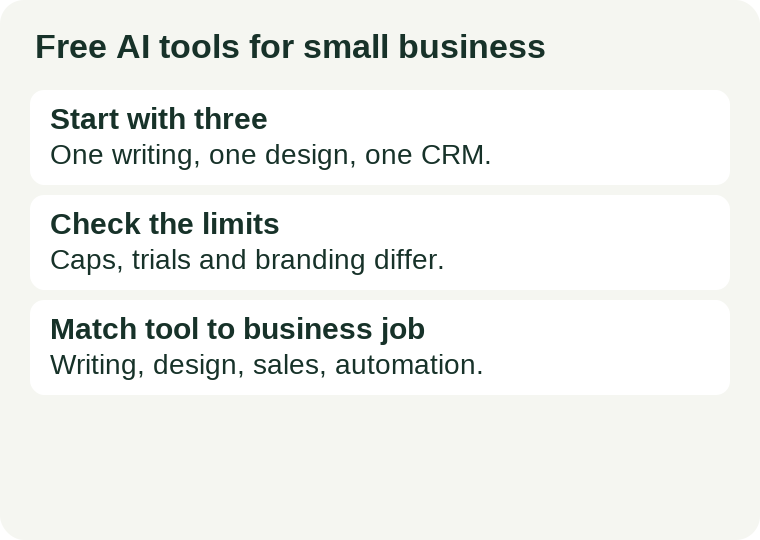
The short answer
For most small businesses, three free options cover the work: ChatGPT's free tier for writing, emails and product descriptions; Canva's free plan for social graphics, flyers and simple videos; and HubSpot's free CRM for contacts, deals and follow-ups. Pick one as your daily writing tool. Use the second when you need visuals. Put customer details in the CRM, not in a chat window. Pay only when a free tier blocks real business work more than once in a week, and only after you have checked what the paid tier adds on the official pricing page.
Do not start by buying a bundle. A small business rarely needs ten tools; it needs one tool per job, each on a free tier that survives a normal week. The rest of this guide is the check that tells you whether a free tier survives yours.
Three verified free options
Each entry below states what the provider's own page showed on 2026-11-24. Limits and prices change; confirm on the linked page before you rely on them.
1. ChatGPT (free tier)
ChatGPT's free tier covers everyday writing work: unlimited text chats with GPT-6, with limited messages with uploads, limited image creation, limited voice chats and limited deep research. Memory and context are limited on the free tier, and the page notes that unlimited text chats are subject to abuse guardrails. Official pricing page.
Use it for: product descriptions, email drafts, social captions, meeting summaries and first drafts of anything a customer will eventually read. Expect the upload and image limits to be the binding constraint in a heavy content week, not the chat itself — and check every customer-facing draft before it goes out, because a free tier writes fast and checks nothing.
2. Canva (free plan)
Canva's free plan covers design work from templates, with AI-assisted design features included and premium templates and the brand kit behind the paid plan. It is the design half of the starter stack: the place where a caption becomes a post, a flyer or a simple video. Official pricing page.
Use it for: social graphics, flyers, price lists, simple videos and anything a customer sees before they read a word. The gate to watch is not the tool but the template: free-plan designs are fine for everyday posts, but consistent brand assets — your colours, fonts and logo in one place — are a paid feature, so check what the free plan leaves out before you build a month of posts inside it.
3. HubSpot free CRM
HubSpot's free tools include its Smart CRM with 1,000 contacts and up to 2 users, with no time limit on free access. The free tier also covers 2,000 marketing email sends a month with HubSpot branding, live chat with HubSpot branding, one personal meetings link, and up to 10 dashboards with 50 reports each. Official free tools page.
Use it for: keeping every contact, deal and follow-up in one place instead of in inboxes and spreadsheets. The 1,000-contact cap is the number to watch: it is generous for a business starting out and a real wall once the list grows past it. The branding is the other tell — free emails and live chat carry HubSpot's name, which is fine while you are small and worth removing when the brand matters more than the saving.
Match one tool to each business job
| Job | Start here | Watch out for |
|---|---|---|
| Writing, emails and product descriptions | ChatGPT free tier | Upload and image limits in a heavy week |
| Social graphics, flyers and simple video | Canva free plan | Premium templates and brand kit are paid |
| Contacts, deals and follow-ups | HubSpot free CRM | 1,000 contacts; 2 users; HubSpot branding |
| Connecting two apps without code | Zapier free plan | 100 tasks a month; two-step Zaps only |
| Meeting notes and client call records | Otter.ai free tier | Free monthly transcription allowance is limited |
| Editing customer emails and replies | Grammarly free | Free tier covers grammar and basic clarity only |
| Research with cited sources | Perplexity free plan | A linked citation still needs human verification |
Five checks before you rely on any “free” tool
1. Plan or trial? A free plan continues; a free trial ends. Zapier's pricing page is explicit: a new account starts on a 14-day trial of the Professional plan, and the free plan is what remains after it. A trial that asks for a card up front will charge you if you forget to cancel — and a workflow built on trial features stops working when the trial does.
2. What is capped? Messages per day, tasks per month, contacts per account and features behind a paywall are four different limits. Zapier's free plan is 100 tasks a month with two-step Zaps; HubSpot's free CRM is 1,000 contacts and 2 users. Find the one that binds your busiest week, not your quietest.
3. What happens to customer data? Never paste customer names, addresses, payment details or anything identifying into a general AI chat. Keep customer data in the CRM, describe customers in general terms when you draft, and check the provider's privacy page before any business use. Our privacy check covers what to look for.
4. Who owns the account? A free tool signed up on a personal email is a personal account, and it leaves with the person. Create business tools on a business email from day one, and keep the login somewhere the business — not one employee's phone — can reach.
5. Can you use the output commercially? Free does not mean yours to sell. Check the licence or terms page of each tool before you publish or sell anything it made. Our commercial-use check explains what to look for, and our free AI tools for writing and free AI tools for images guides apply the same limits-first method to each half of the starter stack.
A one-week trial plan
Pick one recurring task — for example, next week's product descriptions, or the follow-up emails after every enquiry. Use one tool for that task all week and count how many times you hit a limit. If you hit a limit more than once, that tool's free tier does not fit that task; try the next one on the list. If you hit no limits, you have a working stack and no reason to pay yet. For the same method applied to chat tools, see our free AI chat limits guide.
Sources and review scope
Related guides in the same limits-first series: free AI tools for writing, free AI tools for images and free AI tools for students — each one checks the same kind of free-plan limits for a different job. For the full overview of the series, see the free AI tools overview.
Tool descriptions above reflect official product and pricing information checked on 2026-11-24, including the providers' own pages linked in each entry. Canva's pricing page could not be read by our checker on the day, so its entry states only the plan structure — confirm the current free-plan details on Canva's own pricing page before relying on them. This is a buying and access guide, not a performance test. Free plans change; confirm on the official pricing page before the business depends on them.