 KIKOMONO
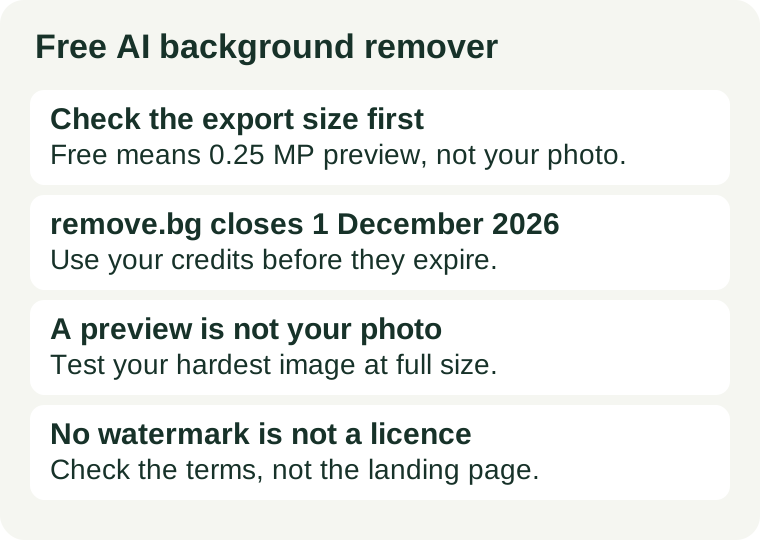
What is closing, and what is not
remove.bg became part of Canva in 2021, and its own FAQ now says the standalone website will no longer be available from 1 December 2026 at 9:00am CET. Background removal moves into Canva, and self-serve API access moves to Leonardo.Ai, which Canva also owns. Enterprise API contracts are not affected and continue as normal. The Photoshop plugin and other integrations are discontinued on the same date.
What ends on 1 December is the website and the self-serve API — not the technology. Canva's Background Remover uses the same background-removal technology as remove.bg, according to the FAQ, and Leonardo.Ai's API does the same for developers. So the decision is not "find a new technology" but "find a new home for the same job": a browser tool for occasional photos, or an API for automated volume. The deadline that actually bites is the credits: unused pay-as-you-go credits expire on 1 December 2026, and the FAQ recommends using them before then. Subscriptions keep working until that date and then end automatically.
Three checks before you pick a replacement
Every free background remover limits something — resolution, count, or both. The product pages rarely lead with the limit, so check these three before you trust any of them with real work.
First, the export size. A free tier that "removes backgrounds for free" usually means it removes them at preview size. remove.bg's free tier returns low-resolution previews of up to 0.25 megapixels, and a full-resolution download costs a credit. Other tools use the same trick with different numbers: unlimited previews at thumbnail size are common, and a tool that hands back a full-resolution PNG for free will limit you on count or features instead. Ask one question of any remover before you use it: how many pixels does the free download actually have?
Second, the monthly volume. A free tier and a free trial are different things. A tier renews every month; a trial is a fixed pile of images that never comes back. remove.bg's free tier gave 50 API previews a month; Photoroom's free plan gives a monthly export allowance that its pricing page states. Count your real monthly volume first — product photos for a shop, headshots for a team page, one-offs for a social post — then check whether the allowance renews or runs out. A tool that is free for ten images a month is not free for a shop that lists forty.
Third, the account and the licence. Some removers work with no sign-up at all; others need an account before the first download, and the account is where the volume cap is enforced. And "no watermark" is not the same as "free to use commercially": each tool sets its own licence for free output, and a personal-use tool does not become commercial because the PNG looks clean. Our privacy check before uploading and our commercial-use check cover those two questions in full.
Three free starting points — checked 2026-11-20
Each claim below was read on the vendor's own page or in remove.bg's own FAQ on 2026-11-20, as noted in the sources section. Where a vendor publishes no number, this guide says so instead of guessing.
You want the official successor: Canva
Canva's Background Remover is the replacement remove.bg itself points browser users to, and the FAQ says it uses the same background-removal technology. It lives inside Canva's editor, so it suits the same job remove.bg did for single images and small batches — product photos, social posts, school projects — without installing anything. The catch is the plan: Background Remover is a Canva Pro feature, and the free allowance is a limited number of free high-resolution downloads. Check Canva's pricing page for the current number before you plan a month's work around it. Official site.
If you already work in Canva, this is the lowest-friction move: the same cutout, one fewer account. If you do not, the Pro requirement is the price of staying with the official route, and the next two options are free without it.
You want no sign-up and a clean PNG: Adobe Express
Adobe Express offers a free background remover that works in the browser with no sign-up, returns a clean PNG export, and allows free commercial use under its free plan. That combination — no account, full-resolution output, commercial use — is the one most free removers do not offer all at once, which is why it is worth naming first. The trade-off is volume: the free plan is built for occasional use, not for a shop's monthly catalogue, so count your images before you commit to it. Official site.
Because there is no account, there is also no saved history: keep your own copy of every export you intend to reuse.
You want no sign-up and full resolution: BgEraser
BgEraser returns a full-resolution PNG with no sign-up at all, and supports batch removal of up to 20 images at once on its free tier. It is the only tool in the comparisons we read that offers that exact combination, and it is the right shape for a one-off batch — a set of product shots for one listing, a folder of headshots for one page. Its limits are on features rather than resolution, so read the tool's own page for the current batch and format terms before a large job. Official site.
For a fully local option, the open-source rembg tool runs on your own machine with no upload and no monthly cap — you supply the hardware, and its default model needs a commercial agreement for commercial use. That is the right shape when the photos are private and the volume is steady; it is the wrong shape when you need one clean cutout in the next five minutes.
The five-minute check before you switch
Run this on the photo you will actually use, not on the tool's demo image:
- Use your credits before 1 December. If you have remove.bg pay-as-you-go credits, spend them on the images you already need — they expire on 1 December 2026 and do not transfer to Canva or Leonardo.Ai.
- Test your hardest photo, not your easiest. Run one image with hair, fur, glass, or a busy background through the replacement before you move a whole batch. A remover that handles a plain studio shot can still fail on flyaway hair, and the failure only shows at full size.
- Measure the export. Download the result and check its pixel dimensions against the job: a 625-by-400 preview is fine for a thumbnail and useless for a product page. If the free download is smaller than the original, the tool capped you — switch tools, do not re-upload and hope.
- Check the watermark and the licence in the same minute. Look at the downloaded file, not the preview in the browser, and read the terms for commercial use. A clean-looking PNG with a personal-use licence is not a product photo.
- Count the month, not the day. Add up the images you actually remove in a month and compare with the free allowance. If the number only fits because you tested on a quiet week, the tool will run out on a busy one — and a paid plan fixes volume, not a resolution cap.
When free stops being enough
Three signs, and only three, mean the free tier is the wrong tier rather than a tight one. First, the same real task fails twice for the cap, not for quality — your photos are already larger than the free export, or the monthly allowance runs out before the month does. Second, the job is private and the only tool that fits is a web uploader; that is a privacy mismatch, not a price problem, and the fix is the local tool. Third, the licence blocks the use: a personal-use tool, or a source photo you do not own, does not become commercial because the cutout looks clean. A paid plan fixes the first problem; only the local tool fixes the second; and no plan fixes the third. For the credit arithmetic behind the rest of your image workflow, see Free AI image generator: what one finished picture actually costs, and for picking the generator in the first place, Free AI tools for images.