 KIKOMONO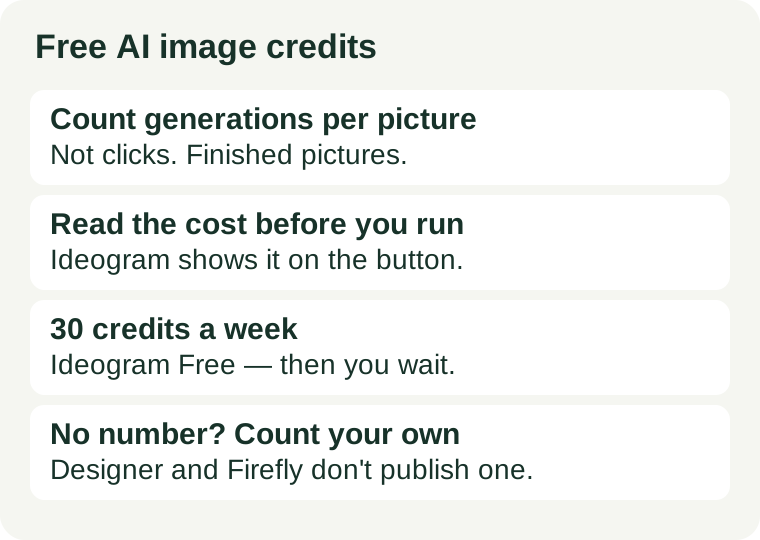
Count generations per finished picture, not pictures per month
Every click on Generate is a spend, but only the keeper counts as output. A poster job is not one generation. It is a draft, then a fix for the misspelled headline, then a style change, then a size change — four or five spends for one finished picture. Budgeting by “pictures per month” hides that multiplier; budgeting by generations per finished picture exposes it.
The arithmetic is simple, and it has only two inputs:
Finished pictures per allowance = weekly or monthly credits ÷ (credits per generation × generations per finished picture).
Credits per generation comes from the tool: on Ideogram the run button shows the cost before you start, and it varies with model, quality, size and number of outputs. Generations per finished picture comes from you: it is whatever your last real job actually took. Measure the second number once, and the first number stops being a mystery.
What the official pages say — checked 2026-10-28
Three free plans, three different levels of countability. The difference matters more than the headline allowance.
Ideogram Free: the countable one — 30 credits a week
Ideogram’s own documentation gives free accounts 30 credits each week, but only when they sign in with Google, Apple or Microsoft — accounts created with an email and password get no free credits. The cost of a run depends on the model, quality, size and number of outputs, and the run button shows the cost before you start. When the credits run out, a free account waits for next week’s 30 or buys credits. Everything generated on the free plan is public. Official docs.
This is the only free plan of the three where you can do the division before you start: 30 credits, divided by the cost the button shows, divided by the generations your job takes.
Microsoft Designer: free, but no number on the FAQ
Microsoft’s official FAQ says Designer is free to use, and that a subscription may be required for those who want to create more frequently. It publishes no fixed free credit number on that page. It also licenses Designer for personal, non-commercial use, and warns that text in generated images may come out in the wrong language or misspelled. Official FAQ.
No published number means no division to do in advance. On Designer you budget backwards: count your own generations per finished picture, and notice when “more frequently” starts asking you to pay.
Adobe Firefly Free: “limited” credits, number not published
Adobe’s Firefly plans page describes the free plan as offering limited generative credits for both standard and premium features, and Adobe’s own credits FAQ says the number of credits in a free plan is subject to change. No fixed free-plan number is published on those official pages. Official FAQ.
When a provider will not give you a number, treat that as information, not as an oversight: the free tier is a trial, not a budget, and the honest way to use it is to count your own generations and decide from your own tally.
ChatGPT Free, for completeness, lists “limited image creation” on OpenAI’s pricing page with no number attached (checked 2026-10-17). Same rule applies: no number, no advance budget — count your own generations.
Measure it on your first real job
Do not estimate generations per finished picture. Measure it, once, on a job you actually need:
- Write the full prompt before the first generation — subject, style, layout, and the exact words in quotes.
- Generate, then tally every regeneration until you have a keeper: text fixes, style changes, size changes, all of them.
- That tally is your generations per finished picture. For example, a birthday poster might take seven: one draft, three text fixes, two style changes, one size change.
- Multiply by the credits per generation shown on the run button, and compare with the weekly or monthly allowance.
If the result does not fit the allowance, that is a tool-fit signal, not a prompt failure. Either the job needs a tool with a countable allowance, or it needs fewer generations — which is a workflow fix, covered below. Do not solve a credit shortage by re-rolling harder; re-rolling is what caused it.
Four ways to spend fewer credits
- Write the whole prompt before the first run. Every “make it prettier” re-roll is a spend. Decide the subject, style and text first, then generate once.
- Change one thing per regeneration. Background, style word, or text — not all three. One change per run teaches you what worked; three changes per run teaches you nothing and costs three times as much.
- Fix text outside the generator when you can. Re-rolling for spelling burns the most credits, and it is the least reliable fix: Microsoft’s own FAQ warns text may come out misspelled. Zoom to 100%, read every word, and add or correct the text in an editor instead of re-rolling the whole picture.
- Batch similar jobs in one session. While the style, prompt and layout are fresh in your head, the second and third pictures in a set take fewer generations than the first. Spreading one set across a week re-pays the learning cost every time.
When free stops being enough
Two signs, and only two, mean the free tier is the wrong tier rather than a tight one. First, the same real task fails twice in a week for credits, not for quality — the allowance, not your prompting, is the bottleneck. Second, the free tier’s other conditions block the job: Ideogram’s free generations are public, so unreleased work does not belong there, and Designer is licensed for personal use only, so client work does not belong there either. Our commercial-use check covers that second question in full. A paid plan fixes the first problem; it is the only fix for the second that also changes the terms.