 KIKOMONO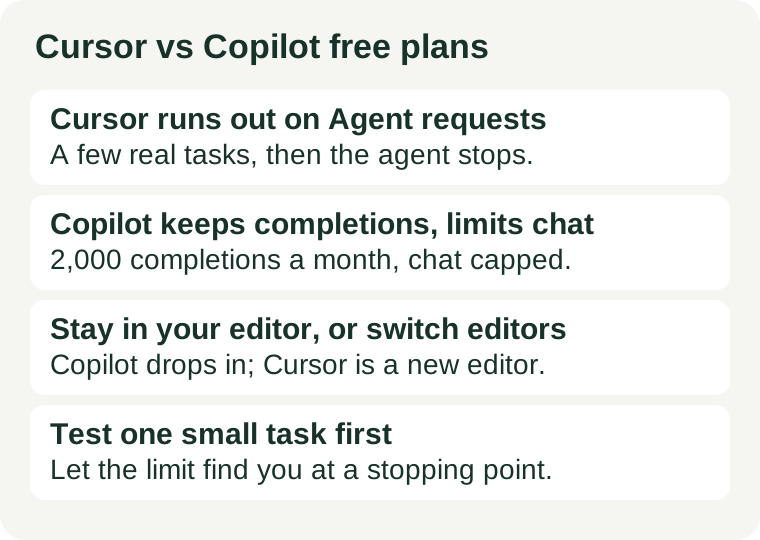
The short answer
If you mostly want help while you type — suggestions as you write code, line by line — GitHub Copilot's free tier is the one that lasts longer, because its 2,000 monthly completions are a separate allowance from its limited chat and agent use. If you want an agent that plans and edits across several files for you, Cursor's free tier gives you that experience, but its limited Agent requests are the first thing to run out, after only a few real tasks. And if you already live in VS Code, Copilot costs you no editor switch at all, while Cursor asks you to move to a new editor. For most beginners, that last point decides it: start where you already are, and switch only when a specific job — multi-file agent work — keeps hitting a limit.
What each free tier actually gives you
| Cursor free (Hobby) | GitHub Copilot free | |
|---|---|---|
| What it is | A full coding editor (built on VS Code) with AI built in | An AI assistant inside editors you already use, including VS Code, Visual Studio and JetBrains IDEs |
| Costs nothing, no card | Yes — the Hobby plan is free and requires no credit card | Yes — a free plan exists alongside paid plans |
| What runs out first | Agent requests: limited, and they are the feature that does whole tasks for you | Chat and agent use: limited, while inline completions have their own 2,000-per-month allowance |
| What keeps working longest | The editor itself, and smaller AI help around your code, once Agent requests are spent | Inline completions, up to 2,000 per month, plus entry-level models for chat |
| Editor switch required? | Yes — you move your work into Cursor | No — it works inside your current editor |
Free-plan terms are checked 2026-10-26 for Copilot on GitHub's official plans page, and for Cursor against our Cursor free-access guide, verified 2026-10-11. One caution on the Cursor check: on 2026-10-26, Cursor's pricing page as fetched did not display the editor's Hobby terms — it showed unrelated subscription plans — so treat the Hobby description here as last verified 2026-10-11 and re-confirm on cursor.com/pricing before you rely on it. Both providers change free plans frequently; the official page on the day you sign up is authoritative, not this article.
First, name the job: typing help or whole-task help?
Beginners usually mean one of two different things by "AI coding help", and the two free tiers are built for different ones.
Typing help means suggestions while you write: completing a line, suggesting the next function call, fixing a small error in the code in front of you. You stay in charge, you read every suggestion, and you learn the language as you go. This is where Copilot's free tier shines, because 2,000 completions a month is a lot of line-by-line help for someone coding a few evenings a week.
Whole-task help means handing the tool a job — "build this page", "refactor these three files", "fix this failing test" — and reviewing the diff it returns. That is Cursor's Agent, and it is the more impressive demo. It is also the more expensive thing to give away, which is why it is the first thing Cursor's free tier limits. A beginner who starts with whole-task help learns less per hour, too: reviewing a large diff you did not write is harder than reading a one-line suggestion you almost wrote yourself.
Rule of thumb: if you cannot yet read the code you are asking for, you want typing help, not whole-task help. The free tier that lasts longest for typing help is Copilot's. The free tier that lets you try whole-task help at all is Cursor's — briefly.
What runs out first, in practice
On Cursor free: Agent requests
Cursor's Hobby plan gives you limited Agent requests and access to its Composer editing flow, with no credit card required. In practice, that means a handful of real agent tasks — a small feature, a multi-file fix, a refactor — and then you are done for the period, while the editor itself keeps working. The limit is not a bug; it is the free tier doing its job, which is to let you evaluate the editor, not to power daily agent work. If your first week looks like "try the agent on three small projects", Hobby covers it. If your first week looks like "let the agent build my whole side project", you will hit the wall mid-project — and a half-built project is a bad place to discover a limit. Save your Agent requests for one deliberate test, not for every small question: ask the editor's smaller AI help, or search, for the small stuff.
On Copilot free: chat and agent use, not completions
Copilot's free plan, as stated on GitHub's official plans page on 2026-10-26, is limited to 2,000 completions and access to entry-level models per month, with limited chat and agent usage. Read that split carefully: the 2,000 is the completions allowance, and it is separate from the chat and agent limit. A beginner writing code most days will chew through chat questions far faster than through completions, because a chat question feels free and a completion feels small. If you treat Copilot chat like a tutor you can ask anything, the chat limit arrives first. If you treat it as what it is — a limited allowance on top of generous typing help — the free tier can carry you through months of learning. When chat runs out, you still have completions; when completions run out, you still have your editor, your docs, and your own growing skill. Neither limit should stop a beginner from learning.
The hidden cost nobody lists: switching editors
Cursor is a whole editor. Adopting it means moving your extensions, keybindings, settings and habits, and then moving them back if you leave. For an experienced developer that is an afternoon; for a beginner who is still learning where anything is, it is a real cost, paid in confusion at exactly the moment learning is already hard. Copilot, by contrast, drops into VS Code, Visual Studio, JetBrains IDEs, Eclipse, Xcode and others, and into GitHub itself — the places a beginner is most likely to already be. That is not a small advantage; it is the difference between "try AI help today" and "migrate first, then try".
The exception proves the rule: if you have already decided you want agent-led, multi-file work as your main way of coding, the editor switch is worth paying, and Cursor's free tier is the right trial. But try it on one small, finished project — not on the project you care most about — so the Agent limit finds you at a natural stopping point, not mid-feature.
Which beginner should pick which?
| You are… | Start with | Why |
|---|---|---|
| Learning to code, in VS Code already | Copilot free | No editor switch; 2,000 monthly completions carry line-by-line learning; chat limit teaches you to ask fewer, better questions |
| Curious about agent coding, with a small test project | Cursor free (Hobby) | Agent and Composer are the real trial; the limit arrives after a few real tasks, which is enough to judge the editor |
| Building a real project with agent help every day | Neither free tier | Both free tiers will stop you mid-project; budget for a paid plan, or slow down to what the free tier covers |
| Unsure what you need yet | Copilot free, in your current editor | The cheapest experiment: no migration, and the limit you hit first (chat) tells you what you actually value |
A one-week test that tells you the answer
- Pick one small project you can finish in a week — a single web page, a tiny script, a small fix to an existing project. Not your dream app. See our coding assistant checklist for how to choose a task before a paid plan enters the picture.
- Use only the free tier, in your current editor first. On Copilot free, count roughly: if you ask chat everything, you will feel the chat limit within days. If you lean on completions, you will not.
- Spend Cursor's Agent requests on one deliberate task, not five casual ones. Give the agent one well-described job, review the whole diff, and note whether the review taught you anything. If reviewing felt harder than writing it yourself, you do not need agent help yet — you need typing help.
- Save your work before any limit stops you. Free tiers end mid-task by design; our guide to saving free-AI progress covers the habit that makes a limit an inconvenience instead of a lost afternoon.
- Decide on evidence, not on the demo. The free tier that ran out first tells you what you actually do most. Pay — if you pay at all — for the thing you ran out of, not for the longest feature list.
Questions beginners ask
Can I use both free tiers at once? Yes — they are separate products with separate free plans, and many beginners do exactly that: Copilot for daily typing help, Cursor for an occasional agent experiment. Just remember that Cursor still means a second editor to maintain.
Does Cursor free require a credit card? No. The Hobby plan requires no credit card, as verified in our Cursor free-access guide. A promotion that asks for payment details is a different offer — read its terms before confirming, and check the amount due on the checkout screen, not just the email headline.
Is 2,000 Copilot completions a lot? For a beginner coding a few evenings a week, yes — completions are small, and you accept or reject each one as you type. Heavy daily coders will reach it, but they are also the people most likely to know whether they need a paid plan by then.
What happens when I hit a free limit? The limited feature pauses until the next period; the rest of your setup keeps working. That is the time to review what you built, not to pay in a hurry. A limit reached on a finished test project is information; a limit reached mid-project is a planning lesson.
Will these free tiers stay the same? Do not count on it. Both providers changed how they meter AI use during 2026 — Copilot moved to AI Credits for paid features, and Cursor's plan structure shifted repeatedly. Re-check the official pricing page before building a course, a term's work, or a project around any free tier.
Sources and review scope
GitHub's official plans page (github.com/features/copilot/plans), checked 2026-10-26: Copilot Free — 2,000 completions per month, entry-level models, limited chat and agent usage; paid plans are metered with GitHub AI Credits. Cursor's Hobby description (free, no credit card required, limited Agent requests, Composer access) follows our Cursor free-access guide, verified against Cursor's official pages 2026-10-11; on 2026-10-26 the pricing page as fetched did not display the editor's Hobby terms, so that description is flagged above as last verified 2026-10-11 and should be re-confirmed on cursor.com/pricing. This article compares only the free tiers, as briefed; it is not a full price comparison and cites no paid-plan prices. It is a feature-and-limit comparison, not a performance test of either tool. This article contains no affiliate links. Links to official pages are bare official links; we earn no commission from them.
← All AI tools · Cursor free access · GitHub Copilot: what to check before buying · How we verify offers