 KIKOMONO
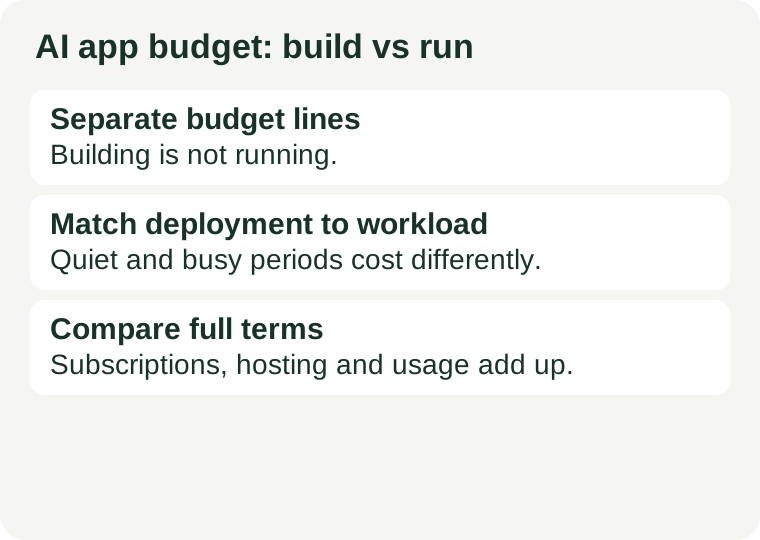
Keep separate budget lines
List development tools, hosting, model inference, storage and domain renewal separately. A coding assistant helps you build; it does not automatically pay the model bill for your deployed app. An AI website builder may bundle some hosting, so check what is included before adding a VPS. The reason for separate lines is simple: each one changes on its own schedule. The coding assistant renews monthly, the hosting renews yearly, the inference bill follows your visitors, and the domain renews on its own date. One combined “AI cost” hides all four movements, and the first time you notice is the month they move together.
A worked example: one small app, five lines
Take a small app — a few pages, a form, and one AI feature, such as a summary box or a chat reply. Its budget has five lines, and each line is a different purchase. Development: the coding assistant you pay for while building — see our Cursor guide and GitHub Copilot guide for current plan terms, including the free tiers that may cover the whole build. Hosting: the server or platform the site runs on — an AI builder bundles hosting with the builder, while a VPS is hosting alone. Inference: the model the deployed app calls — a hosted API, or a managed endpoint. Storage: files, uploads and database space. Domain: registration and renewal. Fill in each line from the official links in the product guides; this guide supplies no price estimates, because the rates change and the official page on the day you buy is authoritative. The point of the exercise is not the total — it is seeing which line is the big one. For a brochure site it is hosting; for a busy AI feature it is inference.
Match the deployment to the workload
For a static information site, first ask whether server hosting is needed at all. A site with no login, no form and no database may not need a server — and the cheapest hosting is the hosting you do not buy. For an app that calls a hosted model, check API billing and where credentials will be stored: the key that lets your app call the model is a secret, and it needs a safe place to live, not a line in the code. For a self-hosted model, investigate memory, accelerator support and concurrency rather than selecting a server from its introductory price alone — the machine that cannot run your model is not a bargain at any price. The workload decides the deployment, and the deployment decides the bill.
Plan for quiet and busy periods
Managed endpoints offer autoscaling, but inspect the configuration and billing conditions. Autoscaling answers traffic; it does not answer the bill. Check the bill for repeated requests, large uploads and retries — a retry loop can multiply a small spike into a large charge, and the first time you see it should be in testing, not on the invoice. Set limits in the app before visitors can use it: cap requests per user, cap retries, cap upload sizes. And plan for the quiet periods too: find out what you pay when nobody is calling the endpoint, because an idle service that still bills is a line that runs all month for nothing.
Where the surprise bills come from
Four patterns produce most surprise bills. Promotional credits ending: a free allowance that runs out mid-month, after which the same usage bills at full rate — work out what you will pay when the credits end, before you build on them. Renewal pricing: an introductory rate for the first term is not the second-year price; our guide to second-year renewal costs explains what to check. Usage that scales with visitors: inference and bandwidth both grow with traffic, so a launch that succeeds costs more than a launch that does not — budget for the good outcome, not just the quiet one. Retries and loops: an app that retries a failed model call three times pays for four calls, and a loop that retries forever pays until something stops it. All four are preventable with the same habit: a spending limit, set before launch, on each usage line.
Compare full terms
Use our VPS comparison to inspect verified hosting offers. Then check renewal pricing, commitment length and cancellation. For an AI builder, confirm the eligible plan and any limits on generated changes. These are different purchases; a cheap server is not automatically the cheapest working solution. The comparison that matters is the full term, not the first month: the checkout total, the renewal figure, the length of the commitment, and what it costs to leave. A plan that is cheap for three months and expensive for twelve is a twelve-month plan with a discount, not a cheap plan.
Before paying
Put fixed fees and usage charges on separate lines. Set a spending limit and try a few typical requests. Work out what you will pay when any promotional credits end. Then, before the first real visitor arrives, run the app through its most expensive path once — the largest upload, the longest model reply, the heaviest page — and watch the usage it records. If that one request costs more than you expected, the budget is wrong, and it is cheaper to learn that now. For the full purchase map, see AI subscriptions, APIs and hosting are separate purchases.
Use the official links in the product guides to fill in current rates; this guide supplies no price estimates.