 KIKOMONO
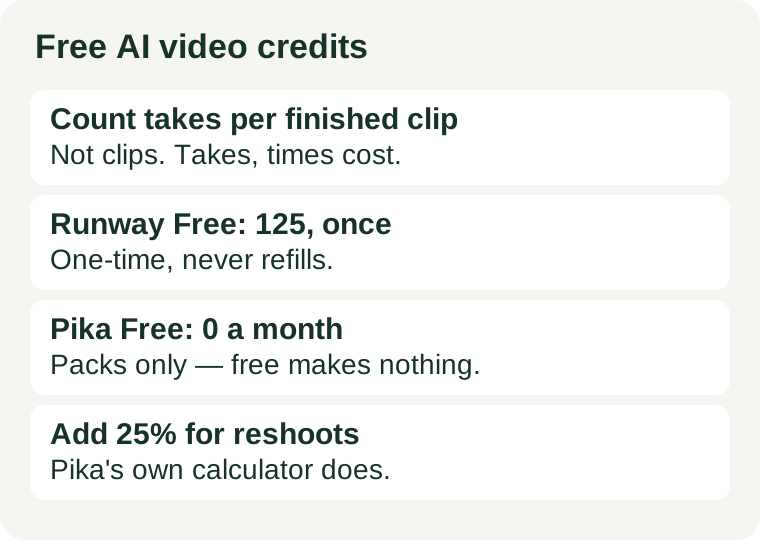
Count takes per finished clip, not clips per month
Every click on Generate is a spend, but only the keeper counts as output. A five-second clip is not one generation. It is a draft, then a fix for the movement that looks wrong, then a retry for the face that warps, then a re-run at the right length — four or five spends for one finished clip. Budgeting by “clips per month” hides that multiplier; budgeting by takes per finished clip exposes it.
The arithmetic is simple, and it has only two inputs:
Finished clips per allowance = credits ÷ (credits per generation × takes per finished clip).
Credits per generation comes from the tool: Runway and Pika both publish a per-generation credit table, and the cost varies with model, resolution and length. Takes per finished clip comes from you: it is whatever your last real job actually took. Measure the second number once, and the first number stops being a mystery.
Pika's own plan calculator builds in the same idea: it adds 25% to the estimate so a reshoot does not blow the month. Treat that 25% as a floor, not a promise — a first project on a new tool routinely takes more takes than a practiced one.
What the official pages say — checked 2026-11-02
Two free plans, two very different shapes of “free”. One hands you a small pile of credits once; the other hands you none at all.
Runway Free: 125 credits, once, never refilled
Runway's own pricing page gives the Free plan 125 credits as a one-time deposit that does not expire, for a selection of generative models, with 5GB of asset storage. Its FAQ explains the rate that matters: Gen-4.5 uses 12 credits per second of generated video, so a 5-second clip costs 60 credits. Official pricing page.
Do the division: 125 credits buy two 5-second Gen-4.5 clips, with 5 credits left over — and then the free tier is done, because the deposit never refills. Note also that the Free column is a selection of models, not the full library: the page lists full model access and no watermarks on the paid Standard plan, so do not assume every model on the page is spendable with free credits. When the 125 run out, a free account cannot buy more on that tier; continuing means a paid plan, starting with Standard at $15 a month ($12 billed annually) for 625 credits a month.
Pika Free: zero monthly credits — packs only
Pika's own pricing page lists the Free plan's monthly credits as “0 · packs only”. A free account gets access to all models and watermark-free output, and can run 2 video generations in parallel — but it generates nothing until credits are bought. Top-ups are a one-off purchase that does not start a subscription, and bought credits carry over for 365 days. Official pricing page.
Pika's per-generation table makes the cost side countable: a 5-second 720p clip costs 122 credits on Seedance 2.5 but 33 credits on Wan 3.0. That is nearly a fourfold difference for the same length, decided entirely by the model you pick. The page converts its paid plans the same way: Starter at $10 a month ($8 billed annually) for 900 credits makes 7 Seedance clips or 27 Wan clips a month. And the commercial-license row matters before you publish: the table marks it “No” on Free and “Yes” on Starter and above, so client or monetised work is not a free-tier job on Pika.
Measure it on your first real job
Do not estimate takes per finished clip. Measure it, once, on a clip you actually need:
- Write the full prompt before the first generation — subject, movement, camera, and length.
- Generate, then tally every regeneration until you have a keeper: movement fixes, face fixes, length changes, all of them.
- That tally is your takes per finished clip. A simple product shot might take three; a clip with a moving person might take eight.
- Multiply by the credits per generation from the tool's table, and compare with the allowance.
If the result does not fit the allowance, that is a tool-fit signal, not a prompt failure. Either the job needs a tool with a countable allowance, or it needs fewer takes — which is a workflow fix, covered below. Do not solve a credit shortage by re-rolling harder; re-rolling is what caused it.
Four ways to spend fewer credits
- Pick the cheaper model first. On Pika, the same 5-second 720p clip costs 122 credits on one model and 33 on another. Run the draft on the cheap model, and spend the expensive one only on the keeper.
- Lock the length before you generate. Credits scale with seconds, so a 10-second attempt costs twice a 5-second one. Decide the length from the edit, not from the generator's default.
- Change one thing per regeneration. Movement, camera, or prompt wording — not all three. One change per run teaches you what worked; three changes per run teaches you nothing and costs three times as much.
- Storyboard on paper, generate once. Video takes are the most expensive generations in free AI. A ten-second sketch of the shot — what moves, from where, to where — before the first click saves more credits than any prompt trick.
When free stops being enough
Two signs, and only two, mean the free tier is the wrong tier rather than a tight one. First, the same real task fails twice for credits, not for quality — the allowance, not your prompting, is the bottleneck. Runway's 125 credits are spent after two short clips; Pika's free tier never starts. Second, the free tier's other conditions block the job: Pika's table gives no commercial licence on Free, so client work does not belong there, and Runway's Free column covers only a selection of models. Our commercial-use check covers that second question in full. A paid plan fixes the first problem; it is the only fix for the second that also changes the terms.