 KIKOMONO
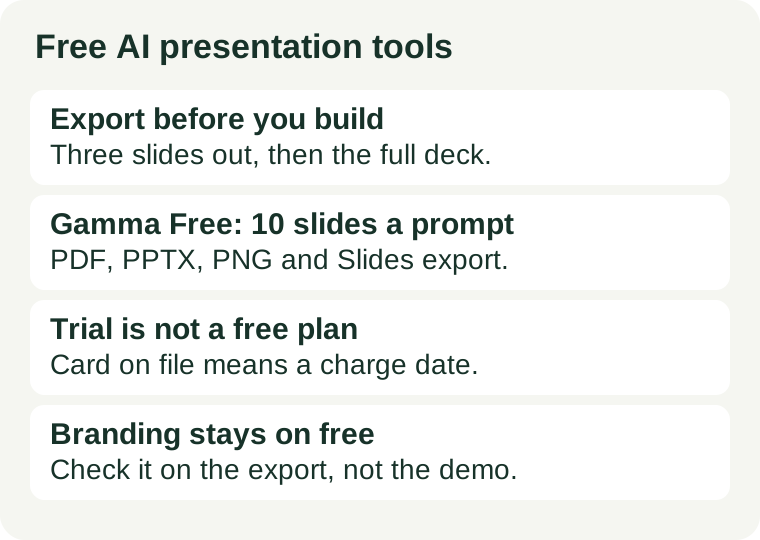
The one-minute check: export three slides first
Do not build a 30-slide deck and then discover it cannot leave the tool. Build three slides, export them, and open the export on another computer before you invest another hour:
- Generate three slides on the topic you actually need, not a demo topic.
- Export to the format you will present from — PPTX if you present in PowerPoint, PDF if you only need to show it.
- Open the export and check three things: does the text stay editable, do the images survive, and does the tool's branding appear on the slides?
If any of those three fails, you have learned the tool's real price before paying it in wasted work. A deck that only plays inside the vendor's website is a rental, not an asset, and a deck with another company's logo on it is not ready for a client or a classroom.
What the official pages say — checked 2026-11-03
Two free offers, two different shapes. The difference is the whole decision.
Gamma Free: a real free plan with a slide limit
Gamma's pricing page lists a Free plan that needs no credit card. It allows up to 10 slides per prompt, covers presentations, documents, websites, social posts and images, imports from PDF and PPTX, and exports to PDF, PPTX, PNG and Google Slides. Removing Gamma branding is listed as a Plus feature, which means the free plan keeps the branding. Official pricing page.
The 10-slide limit is the planning constraint: a 30-slide lesson takes at least three prompts, and each new prompt can drift the style. The export list is the good news: a free Gamma deck can become a PPTX file you own, edit and present anywhere.
Beautiful.ai: a 14-day trial, not a free plan
Beautiful.ai's pricing page offers a 14-day free trial of its Pro plan, and its own FAQ states that the trial requires a credit card and that the card on file is charged automatically unless you cancel before the 14 days end. Pro costs $14.50 per month for individuals, billed annually, and includes unlimited AI content generation and PowerPoint import and export. Students with a valid .edu email can get a year free through its education plan. Official pricing page.
That makes Beautiful.ai a trial of a paid product, not a free tier: the clock, not a credit allowance, is the limit, and doing nothing at day 14 costs money. Our free trial card check covers exactly this trap — find the charge date and the cancel route before you enter the card.
Three limits that decide whether free fits
Slides per prompt. Gamma Free's 10-slide cap means long decks are built in sections. If your deck must hold one consistent style across 40 slides, a per-prompt cap is a real cost in rework, not just a number.
Export format and editability. PDF is enough for showing; PPTX is what you need for editing. Check that the export keeps text editable rather than flattening slides into pictures — a flattened deck cannot be fixed after export, and any text errors in it are permanent. The same text problem that affects AI images applies here: read every word on the exported slides before you present.
Branding and audience. Free-plan branding is the norm, not an exception — Gamma keeps its branding on the free plan. If the deck goes to a client, a school or a public page, either accept the branding openly or pay to remove it. Do not cover it with a white box; that breaks the tool's terms and looks worse than the logo did.
Build in this order, and free stays free
- Draft the outline outside the tool. Slide titles and one line per slide, written before any prompt. Re-prompting for structure burns the most time on a capped plan.
- Run the three-slide export test above and keep the exported file as your proof that the tool fits.
- Generate in sections that match the cap — 10 slides at a time on Gamma Free — and re-check the style at each section break.
- Fix text in the exported file, not by re-rolling. A misspelled headline is cheaper to correct in PowerPoint than to regenerate, and regeneration on a capped plan spends your allowance on a problem editing solves for free.
- Save the source and the export together. Keep the tool's project link and the exported PPTX or PDF side by side, so a future edit does not depend on the free plan still existing.
For pictures inside the deck, the same budgeting rule applies as everywhere else in free AI tools: count generations per finished picture, not pictures per month. Our free AI image credits guide shows the arithmetic, and our free AI tools for teachers guide covers lesson decks as one teaching workflow among others.
When free stops being enough
Two signs mean the free tier is the wrong tier. First, the same real deck fails twice for the cap rather than for quality — you keep splitting a 40-slide course into sections and restyling each one. Second, the free tier's other conditions block the job: the branding cannot go to a client, or the only tool that fits is a card-backed trial whose charge date you cannot safely meet. A paid plan fixes the first problem; for the second, the honest fix is a different tool, not a trial you hope to cancel in time.