 KIKOMONO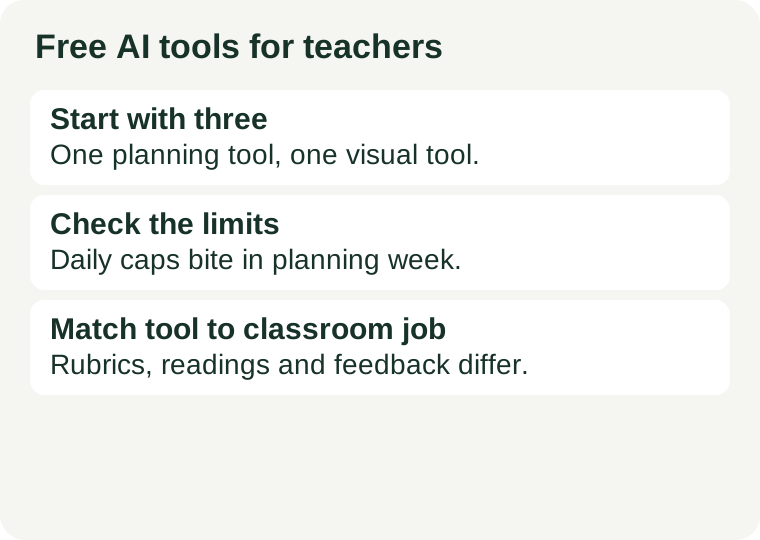
The short answer
For most classroom prep, three free options cover the work: MagicSchool AI for lesson plans, worksheets and rubrics; Canva for Education for slides, posters and worksheets; and NotebookLM for turning your own documents into study resources. Pick one as your daily planning tool. Use the second when the first hits a limit. Claim an educator plan only after reading the eligibility terms on the provider's own page.
Do not start by paying. Pay only when a free tier blocks real prep work more than once in a week, and only after you have checked what the paid tier adds on the official pricing page.
Three verified free options
Each entry below states what the provider's own page or a checked directory showed on 2026-10-23. Limits and prices change; confirm on the linked page before you rely on them.
1. MagicSchool AI
MagicSchool's free plan includes its teacher tools for planning, assessment, differentiation and communication, with daily generation limits; the paid Plus plan removes those limits. Official site.
Use it for: lesson plan scaffolds, worksheet drafts, rubric criteria, exit tickets. Expect the daily generation cap to be the binding limit in a heavy planning week, not the number of tools.
2. Canva for Education
Canva for Education is free for eligible K-12 educators after verification, and includes classroom design tools and AI-assisted writing for instructional materials. Official education page.
Use it for: slides, posters, worksheets and other visual classroom materials. The eligibility check is the gate: confirm your school and role qualify before building a term's materials inside it.
3. NotebookLM
NotebookLM is available free and works from documents you supply, turning your own materials into summaries and study resources. Official site.
Use it for: turning a chapter, handout or set of notes into a study guide, FAQ or quiz draft. Because it works from your sources, it is the least likely of the three to invent content — but still check every output before handing it to students.
Match one tool to each teacher job
| Job | Start here | Watch out for |
|---|---|---|
| Lesson plans and rubrics | MagicSchool AI | Daily generation limits in a heavy week |
| Slides, posters, worksheets | Canva for Education | Educator verification required |
| Study guides from your own materials | NotebookLM | Quality depends on the sources you upload |
| Reading at different levels | Diffit | Free access is limited |
| Feedback inside Google Docs | Brisk Teaching | Free teacher plan covers core workflows only |
| General drafting and explanations | ChatGPT or Gemini free tiers | General tools need your own prompts and checking |
Five checks before you rely on any “free” tool
1. Plan or trial? A free plan continues; a free trial ends. Trials that ask for a card up front will charge you if you forget to cancel.
2. What is capped? Generations per day, documents per month, or features behind a paywall are three different limits. Find the one that binds your heaviest week.
3. Does it need educator verification? Some education offers require a verified school email or role check. Start that process before you need the tool, not the night before class.
4. What happens to student data? Never paste student names, grades or identifying details into any AI tool. Describe students in general terms — grade level, learning needs, performance level — and check the provider's privacy page before any classroom use.
5. What changes at renewal? Student and educator offers can change each school year. Re-check the pricing page at the start of every term.
A one-week trial plan
Pick one recurring task — for example, next week's lesson plans. Use one tool for that task all week and count how many times you hit a limit. If you hit a limit more than once, that tool's free tier does not fit that task; try the next one on the list. If you hit no limits, you have a working stack and no reason to pay yet.
Questions teachers ask
Can students use the same tools? Teacher access and student access are different offers. Check the provider's education page for student terms separately; do not assume a teacher plan covers a class.
Is one general assistant enough? For short drafts and explanations, yes. Purpose-built teacher tools earn their place on structured tasks — rubrics, differentiated readings, feedback comments — where a general prompt needs rewriting every time.
Should I check AI output before sharing it? Always. AI drafts can contain errors, outdated facts and invented references. Review every worksheet, rubric and handout against your lesson before it reaches students.
Sources and review scope
Related guides in the same limits-first series: free AI tools for writing, free AI tools for images and free AI tools for students — each one checks the same kind of free-plan limits for a different classroom job. For the workflow behind the tools — drafting rubrics and differentiated worksheets from a lesson goal — see our AI tools for lesson planning guide.
Tool descriptions above reflect official product and access information checked on 2026-10-23, including the providers' own pages linked in each entry. This is a buying and access guide, not a performance test. Free plans change; confirm on the official pricing page before the term starts.