 KIKOMONO
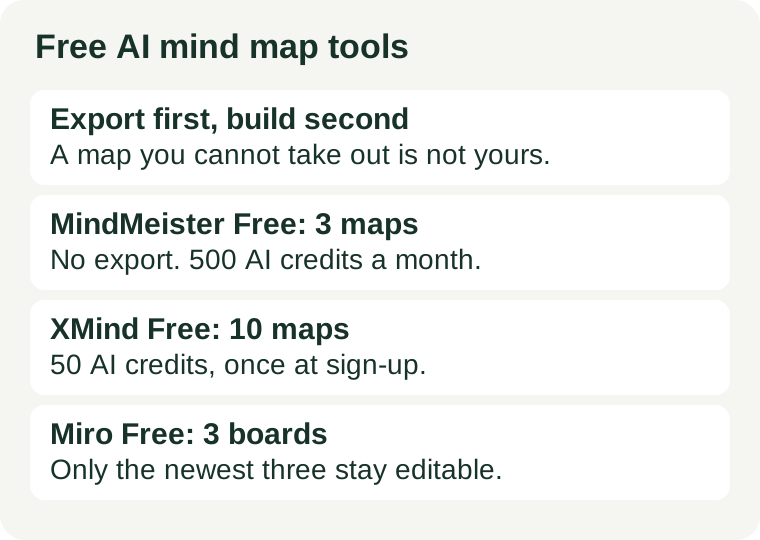
The check in thirty seconds
A mind map is only useful if it leaves the tool: into a slide deck, a document, a printed handout, a file you still own in a year. Free plans ration three different things, and the one that hurts is rarely the one on the landing page. Before you build, answer three questions from the pricing page itself:
- Can I export on the free plan, and in what format? This is the question that decides everything. A map you cannot export is a rental, not an asset.
- How many maps or boards does free allow? Count the cap against the number of live projects you actually run, not the one map you are about to make.
- How many AI generations does free cover? AI map generation is metered in credits on every tool below. Find the allowance and the cost of one generation, and you know how many AI-drafted maps a month buys you.
If any answer is missing from the pricing page, treat that as an answer: the free tier is a trial, not a budget, and you should test the export on a throwaway map before building the real one.
What the official pages say — checked 2026-11-19
Three tools, three different traps. All figures below come from each vendor’s own pricing page.
MindMeister Basic (free): 3 maps, 500 AI credits a month, no export
MindMeister’s own pricing page lists the free Basic plan at €0 with up to 3 mind maps, 500 Meister AI credits per user each month, unlimited collaborators, templates, presentation mode and outline mode. Generating a map uses 100 credits, so the monthly allowance covers about five AI-generated maps, and credits reset on the first day of each month. Official pricing page.
The catch is in the comparison table: file exports (PNG, JPG, PDF, Markdown) and printing are marked as Personal features, not Basic ones. Basic has no version history, no attachments and no deleted-map restore either. Personal, from €6.50 per user a month on 12-month billing, adds unlimited maps, 2,000 AI credits a month, exports and printing. There is no monthly billing option; plans run on 6-month or 12-month cycles. MindMeister also states that information processed by its AI is not used to train third-party models.
Three maps and no export is a workable deal for one brainstorm you present from inside the tool. It is the wrong deal for a study library, a client deliverable, or anything you need as a file.
XMind Free: 10 online maps, 50 AI credits once
XMind’s pricing page lists the free plan with up to 10 manually created online maps, basic themes, 3-day version history, 5 Pitch slides and 50 AI credits at sign-up. Pro, at $4.92 a month on yearly billing, raises the cap to 50 online maps and adds watermark-free export to PNG, SVG, PDF, Markdown and Office formats. Premium, at $8.25 a month on yearly billing, adds unlimited collaborative maps, real-time collaboration and 500 AI credits a month. Official pricing page.
The rule worth knowing is in XMind’s own FAQ: while you still have AI credits, maps created with AI do not count toward the plan’s map limit, and each AI-created map can hold up to 3 sheets. When the credits run out, the plan’s normal limit applies again — existing maps can still be opened and deleted, but no new maps can be created. The same FAQ says that after a subscription expires, your maps remain stored and accessible, but paid features stop until you renew.
Ten maps and a one-time 50 credits is the most forgiving free tier of the three for a solo user, as long as you remember the credits do not refill. Treat the 50 as a trial of the AI, not a monthly allowance.
Miro Free: 3 editable boards, 10 AI credits a month for the team
Miro is a whiteboard, not a dedicated mind mapper, and that changes what the free plan rations. Its pricing page lists the free plan at $0 with unlimited team members, but only the three most recent boards stay editable, and the plan includes 10 AI credits a month shared across the whole team, with low-resolution exports only. Starter, at $8 per member a month on yearly billing, adds unlimited boards, high-resolution exports and 25 AI credits per member a month. Official pricing page.
Two details matter for mind mapping in particular. First, the 3-board cap counts boards, not maps: one workshop board with a map inside it is one board, and a team that runs several workshops a month hits the cap fast. Second, the 10 AI credits are pooled across the team, so one colleague’s diagram can spend the month’s allowance for everyone. Use Miro free when the map lives inside a live workshop; use a dedicated mapper when the map itself is the deliverable.
The export test: one throwaway map before the real one
Do not trust the pricing table alone — run the export once, on a map you do not care about, before you build the map you do care about:
- Build a small map with three branches and one image attachment, the way your real work looks.
- Try every export the free plan claims: PNG, PDF, Markdown. Open each file outside the tool and check it is complete and readable.
- Check whether the export carries a watermark, and whether the free plan strips attachments or images on the way out.
- Delete nothing yet. Count the map against the free cap, and note how many AI credits the test spent.
If the export fails, is watermarked, or drops content, you have learned the price of the tool before paying it in lost work. Switch tools now, while the map is still a throwaway. Our free AI export check covers the same test for chat and image tools, and the credits-per-finished-picture method works the same way for AI generations: count what one finished piece costs, then divide the allowance by it.
When free stops being enough
Two signs, and only two, mean the free tier is the wrong tier rather than a tight one. First, the same real task fails twice for a limit, not for quality — the third map, the third board, the fifth AI generation in a month. Second, the free tier’s other conditions block the job: no export means the deliverable cannot leave the tool, and a pooled team allowance means your colleagues spend your budget. A paid plan fixes the first problem. Only a different tool fixes the second: if you need files, pick the tool whose free plan exports; if you need a map library, pick the one whose free cap counts maps the way you count them. For maps you build to study from, our free AI tools for students guide covers the wider toolkit, and the privacy check before uploading covers what not to paste into any of them.