 KIKOMONO
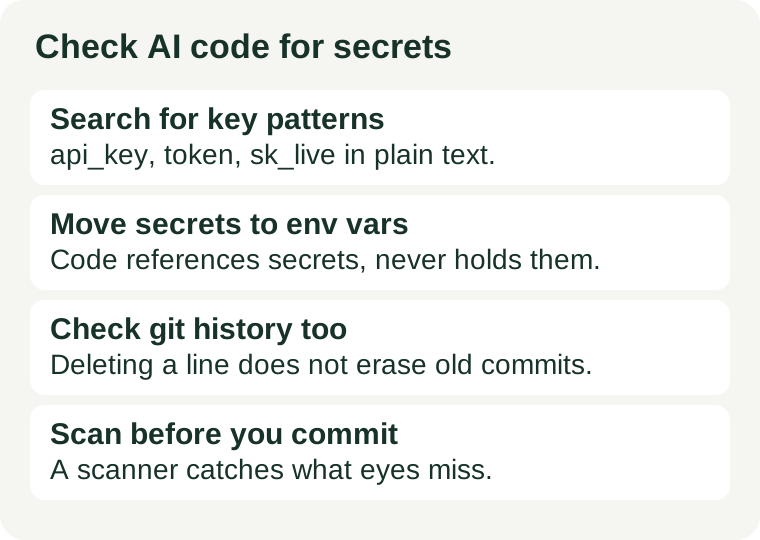
Why AI-written code hides secrets
An AI assistant learns its coding style from public examples, and many tutorials show an API key typed straight into a function call so the example runs at once. When you ask it to connect to a service, it often reproduces that pattern: a working snippet with a credential sitting in plain text. The code runs, so nothing looks wrong — until the file is committed, shared, or shipped to a browser, where anyone who can read it can also use the key.
A second route is your own input. If you pasted a real key into the chat so the assistant could test a connection, the assistant may copy that key back into the code it returns. Treat any secret you typed into a chat as already transmitted, and rotate it if it was a production credential.
Search the code you received
Before running anything, search the whole change for the places credentials hide. Use your editor's search across all files, not just the file the assistant edited.
| Where to look | What to search for |
|---|---|
| Assignments in code | api_key, apiKey, secret, token, password followed by a long string value |
| Known key prefixes | sk_live_ and sk_test_ (Stripe), AKIA (AWS access key), Bearer tokens |
| Connection strings | user:password@host patterns in database or service URLs |
| Config and test files | Keys in config files, test fixtures, seed data and sample requests |
| Comments and docs | Real keys pasted into comments, TODO notes, README examples and CI files |
| Environment files | A .env file that exists but was never added to .gitignore |
A long random-looking string next to one of those names is a credential until proven otherwise. A clear placeholder such as YOUR_API_KEY_HERE is safe; it holds no real value. If you cannot tell whether a string is real, treat it as real and replace it.
Move secrets out, do not just delete the line
Deleting a key from the file fixes the current copy but leaves the problem in place if the same value is still needed at runtime. The durable fix is to make the code reference the secret instead of containing it: store the value in an environment variable or a secrets manager, and read it from there. Keep the .env file out of version control by listing it in .gitignore, and keep a .env.example file that shows only placeholder names and no real values.
Check the build output as well. Bundlers can copy environment values into shipped JavaScript, so a key that lived safely in a local file can end up as plain text in a dist or build folder. If build output is committed to the repository, search it with the same patterns before pushing.
Check git history, not just the current files
Removing a secret from the latest commit does not remove it from the repository. Anyone can check out an earlier commit and read the value. If a real key was ever committed, rotate or revoke that key first — that is the fix that actually closes the exposure — and only then clean the history. Deleting the file without rotating the key leaves a live credential in the open.
Scan before you commit
A hand search catches what you think to look for; a scanner catches the files you did not think to open. Free open-source scanners such as Gitleaks and TruffleHog check a working tree and git history against known credential patterns. Run one against the full change before committing, not after pushing. A pre-commit hook that runs the scan automatically is worth setting up once you use AI-generated code regularly, because the check then happens even on a rushed commit.
Questions that come up during review
Does a placeholder like YOUR_API_KEY count as a secret?
No. A placeholder holds no real value and cannot be used to access anything. The risk is a real-looking long string in the same position. Replace the placeholder with an environment variable reference when you wire up the real key.
Is it enough to delete the key from the file?
No. Git history, build output and shared copies may still hold it. Rotate or revoke the key first, then remove it from the code and the history.
Can I paste my real key into the AI tool to test the code?
Use a test key or a placeholder for testing. A production secret typed into a chat has been transmitted outside your control, so treat it as exposed and rotate it.
Do I need a scanner if I already searched by hand?
Use both. A hand search teaches you the patterns; a scanner checks every file, including test data, config templates and history you did not open. Run the scan before every commit that includes AI-generated code.
Scope and further reading
Our coding assistant checklist covers how to evaluate an assistant before paying for it. For the tools themselves, see the Cursor guide and the GitHub Copilot guide. Before uploading sensitive material to any AI tool, read what to check before uploading.
Source links on this page are not affiliate links. Key prefixes named here are public patterns from the services' own documentation; check the current documentation of any service you use before relying on a pattern.