 KIKOMONO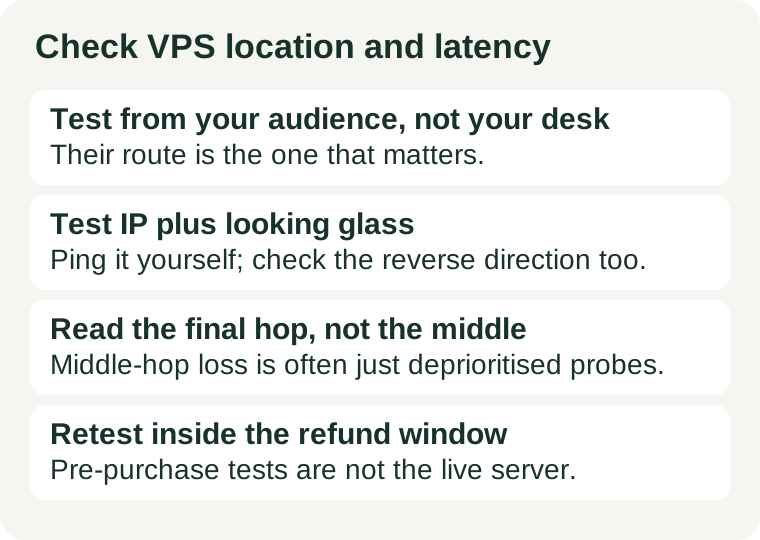
The short answer
Check four things, in this order: which location your visitors actually reach fastest, what the route to that location looks like, whether packets arrive intact, and whether the result holds up after provisioning. Location is the starting point, the route is the evidence, and a single ping from your own computer is not the test — your visitors' network path is. Our first VPS guide covers the wider buying decision; this guide covers the one item on that list most buyers skip.
1. Start from your audience, not from yourself
The first question is whose latency matters. If the site serves visitors in one region, the server should be fast for them, even if it is slower for you. If the audience is spread across continents, no single location is fast for everyone, and the honest choice is the location that is acceptable for the largest share of visitors — or more than one location, which is a different architecture and a different budget.
Two consequences follow. First, test from the audience's side: a ping from your home connection measures your path to the server, not your visitors' path. A looking glass, covered below, measures the reverse direction. Second, test the exact location you would buy. Providers differ by data centre, and a good result in one city says nothing about another city on the same sales page.
2. Before you pay: get a test IP and a looking glass
Many providers publish, per location, one or more of these free tools. You need no account to use them:
- A test IP. An address hosted in the candidate data centre, published so you can ping it and trace the route to it from your own computer. Use the test IP for the exact location you would buy, not a neighbouring one.
- A looking glass page. A web page run from inside the provider's network. You enter your own IP address, or an address in your audience's region, and it runs ping, traceroute, or MTR from the data centre toward that target. This is the only pre-purchase view of the server-to-visitor direction.
- A test file. A file, commonly 100 MB, hosted in the location, for a rough download-speed check from your browser. It measures download speed only, from that data centre to your connection, and it is a complement to latency, not a replacement for it.
If the provider publishes none of these, ask support for a test IP or a looking glass for the location you want, in writing. A refusal is itself information: a provider that will not let you measure the network before you pay is asking you to trust the sales page instead. That is also why this check belongs next to our refund window guide — if you cannot test before buying, the refund window becomes your test period, and the tests below must be run before it closes.
3. Read ping: average, variation, and loss
Run the ping test more than once, and at more than one time of day if you can. A single good reading proves little; a route that is clean at noon and lossy in the evening will be lossy for your visitors in the evening too. From your computer, against the test IP:
- Average latency. The round-trip time in milliseconds. As a rough sense of scale, expect tens of milliseconds within a continent and well over a hundred across an ocean; a number far above the geographic floor means the route is taking a detour, and the traceroute in the next section will show where.
- Variation. A steady 150 ms beats a connection that swings between 40 ms and 400 ms. Wide swings make interactive use — SSH, remote desktops, voice — feel unstable even when the average looks acceptable.
- Packet loss. The share of probes that never arrive. Zero loss is normal. Occasional loss makes interactive sessions stutter, and sustained loss is a reason to drop the location, not to hope it improves after you pay.
Do the same test from the looking glass toward your own address, and compare. The two directions can differ: a route that is clean one way can be congested the other way, and your visitors experience both directions on every page load.
4. Read MTR: find where the route breaks
Ping says something is wrong. MTR — traceroute combined with repeated ping, available as mtr on Linux and macOS and as WinMTR on Windows — says where. Run it against the test IP and read it with one rule in mind: only the final hop fully counts.
Intermediate routers often deprioritise probe packets, so a middle hop can show alarming loss while forwarding real traffic perfectly well. If the final hop is clean, the route is clean, whatever the middle hops claim. What does matter is a latency jump that persists to the final hop, or loss that appears at the final hop itself — both point at the last stretch of the route or at the destination network, and both are grounds to try another location. Also watch for a route that crosses an unexpected continent on its way to a nearby destination: that detour is the usual explanation for a latency number far above the geographic floor, and no plan upgrade fixes a detour.
5. Check throughput, but do not confuse it with latency
Latency decides how quickly a request starts being answered; throughput decides how fast a large file arrives once it starts. A test-file download answers the second question only. Compare the result with your own connection's speed: if the download runs close to your line speed, the path has headroom; if it crawls while your connection is otherwise fine, the path is congested or capped. For a mostly text-and-image site, latency matters more than raw throughput, and a fast download does not rescue a lossy route — which is why this check comes after the ping and MTR checks, not instead of them. Our bandwidth and transfer guide covers the related trap of a generous speed number paired with a small monthly transfer allowance.
6. Retest after provisioning, before going live
Pre-purchase tests measure the provider's network, not your server. Once the server exists, repeat the checks against its real address, and add one test the pre-purchase tools cannot give you: load the actual site from a connection in your audience's region, or through a speed test that runs from that region. If the live result contradicts the pre-purchase result, trust the live result — and if the refund window is still open, that contradiction is exactly what the window is for.
When to walk away
Walk away from a location when the final hop shows sustained loss, when the route detours through another continent for no reason, or when the provider offers no way to measure the network at all and the refund window is too short to test in. Accept a location when the final hop is clean in both directions, the latency fits the geography, and the variation is small across repeated tests. The mistake is not picking an imperfect location — every location is a compromise for somebody — it is paying for a year before learning which compromise you bought.