 KIKOMONO
The short answer
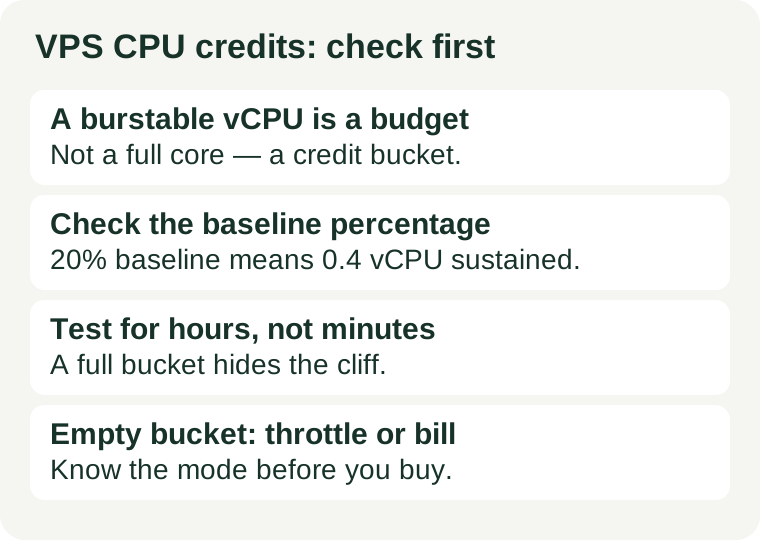
Some cheap VPS plans sell burstable CPU: you get a vCPU count on the sales page, but only a baseline share of it — say 20% — is guaranteed, and anything above that is paid for with CPU credits your plan earns while idle. One credit buys one vCPU at 100% for one minute. If your workload's average use sits above the baseline, the credit bucket drains, and the server either slows to the baseline or starts billing surplus credits. Before you buy, find the baseline percentage and the mode that applies when credits run out; during the trial, run your real workload for hours, not minutes, and watch whether the speed holds after the bucket empties.
What CPU credits are
On a burstable plan, the provider does not give you the whole physical core. It gives you a baseline — a percentage of a vCPU you may use continuously — plus a bucket of credits you spend whenever you run above that baseline. Idle time earns credits; busy time spends them. The bucket has a cap, usually about a day's worth of earnings, so you cannot stockpile unlimited burst time.
The best-known example is the AWS T-series of burstable instances. A t3.medium has 2 vCPUs with a 20% baseline per vCPU, which works out to 0.4 vCPUs of sustained performance. It earns 24 credits per hour and can hold at most 576 credits. Run both vCPUs at 100% and you spend 120 credits an hour while earning 24 — a full bucket lasts roughly six hours, and then the plan's mode decides what happens next. The exact baseline, earning rate and cap differ by instance size and by provider, so always read the numbers for the plan you are actually buying, not a different size of the same family.
Credits are not the same as CPU steal time. Steal time, covered in our CPU steal time guide, is waiting for a core the hypervisor gave to a neighbour. Credits are a published budget: the provider tells you the baseline in advance, and the slowdown is the plan working as designed, not a crowded host.
Two modes, two very different surprises
When the credit balance hits zero, burstable plans behave in one of two ways, and the plan page does not always make the difference obvious.
Standard mode: throttled to baseline. The CPU drops to its baseline — 20% of each vCPU on a t3.medium, for example — and stays there until credits are earned back. A workload that was fast in the morning can answer four times slower by the afternoon, with no error and no alert. This is the mode where a trial that only lasts ten minutes lies to you: the bucket was full when you started.
Unlimited mode: speed kept, bill grows. The CPU keeps bursting after the earned credits are gone, and the provider charges for the surplus credits used. Your site stays fast, but the cheap plan quietly stops being cheap — surplus usage is billed on top of the instance price. AWS lists the surplus-credit rate on its pricing pages; check the current rate for your plan rather than trusting a remembered figure.
Neither mode is wrong. Throttling suits a workload that can be slow; surplus billing suits a workload that must stay fast. What is wrong is buying a burstable plan without knowing which mode you are in, because then the surprise is either a slow site or an unexpected bill.
How to spot a burstable plan before you buy
1. Read the plan page for the giveaway words. Look for "burstable", "shared CPU", "baseline performance", "CPU credits", or a baseline percentage next to the vCPU count. A plan that says "2 vCPU" with no qualifier is usually fixed performance; a plan that says "2 vCPU (burstable)" or "20% baseline" is telling you the CPU is shared by budget.
2. Compare the price with the vCPU count. If a plan offers far more vCPUs per dollar than fixed-performance plans from the same provider, the difference is usually the baseline. Burstable plans are cheaper precisely because the provider is not reserving the full core for you. Read the promotion terms checklist at the same time, so a low first-term price does not hide a renewal that costs more than a fixed plan.
3. Check the provider's documentation, not just the sales page. The sales page advertises the burst; the documentation states the baseline, the earning rate, the bucket cap and the mode. If the documentation is silent on all four, ask support in writing before you buy — and keep the reply. A plan with no published baseline is a plan you cannot budget for.
4. Size the workload against the baseline, not the burst. Estimate your average CPU use over a full day, not the peak. If the average sits below the baseline, the plan fits and bursts are free. If the average sits above the baseline, the bucket drains every day and you are either throttled or billed — in which case a fixed-performance plan at the same price is usually the better buy. Our first VPS guide covers sizing the whole server; run the CPU part of that sizing against the baseline figure.
The trial test: hours, not minutes
A ten-minute benchmark on a fresh burstable plan measures a full credit bucket, not your workload. Run the test as a procedure instead.
1. Record the starting balance. On AWS burstable instances, the CloudWatch metric CPUCreditBalance shows the bucket, and CPUSurplusCreditsCharged shows whether surplus billing has started. Other providers expose their own equivalent, or none at all — if there is no metric, the performance test below is your only evidence.
2. Run your real workload at its normal busy level. Use the site, build or import you actually plan to host, and keep it running for several hours. A synthetic stress test measures a different thing from your real traffic, and running one on a live site risks harming real visitors.
3. Watch for the cliff. Note the time when response times rise or CPU throughput falls. If the slowdown arrives a few hours in and stays until the workload goes quiet, the bucket is empty and the baseline is what you really bought. If nothing changes after a full busy day, the baseline covers your workload.
4. Keep the log. Save timestamps, the workload running, the credit balance where available, and the response times you observed. A support ticket that says "it felt slow" gets a generic reply; one that shows the exact hour the speed fell, with the balance at zero, gets a straight answer about the plan's limits.
What to do with the result
Speed holds all day and the balance stays healthy. The plan fits. Burstable is the right price for your workload, and the credits are doing their job. Re-check after real traffic grows, because a workload that grows past the baseline stops fitting.
Speed drops after a few hours, every day. The baseline is too low for the workload. Either move to a fixed-performance plan, or — only if the workload must stay fast and the provider's surplus rate is cheaper than a bigger plan — accept unlimited-style billing with your eyes open and an alert on surplus charges.
The bill grows instead of the speed dropping. You are in unlimited mode and paying surplus credits. Add up a full month of surplus charges and compare that total with a fixed-performance plan; the burstable plan often loses once the surplus is counted.
The provider will not publish a baseline. Treat that as information. A plan whose CPU budget you cannot read is a plan you cannot verify, and our rule is simple: do not buy a CPU you cannot measure. Pick a plan that states its baseline, or a fixed-performance plan that needs no baseline at all.
Sources and review scope
Credit mechanics above follow the published AWS T-series documentation for burstable instances (one credit equals one vCPU at 100% for one minute; t3.medium baseline, earning rate and bucket cap as stated), checked 2026-11-10; baseline figures, earning rates and surplus-credit rates vary by instance size and provider, so confirm the numbers for the exact plan before buying. This article contains no affiliate links.