 KIKOMONO
The short answer
An AI subscription renewal price is the price charged every billing period after the trial or introductory period ends, and it is often higher than the price shown at sign-up. The trial headline shows the cheapest possible number — a discounted first month, a first-term offer, or a free period — while the renewal price is the number that decides what the subscription really costs. Before the trial ends, read the renewal price on the provider's own pricing or terms page, note the billing term it renews on, and set a cancel reminder at least a day before the charge date. If any of those three is unclear, treat the trial as a paid commitment with a free first period, not as a free tool.
Why the trial price is not the price
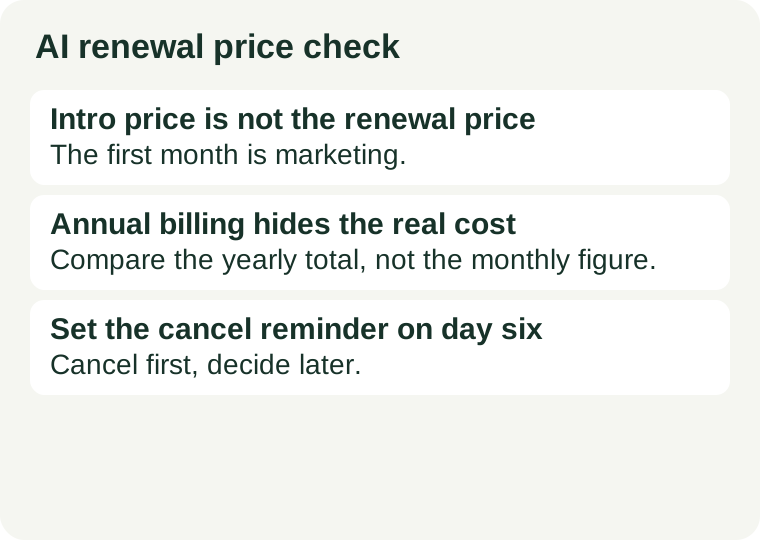
Three common patterns make the renewal price higher than the number you first see. First, an introductory price: the first month or first term is discounted, then the subscription renews at the standard rate — the monthly figure can rise by a third or more, and the gap is stated in the small print, not the headline. Second, annual billing: a yearly plan shows a low monthly figure, but that figure is the yearly total divided by twelve, and the renewal charges the whole year at once. Third, credits that do not carry over: unused trial credits usually expire at the end of the trial, so the paid plan starts from zero and the trial allowance is not a discount on the first paid month. None of these is hidden in the dishonest sense — the numbers are normally published on the pricing page or in the terms — but they are easy to miss when the headline only shows the cheapest figure.
The five-point renewal check
Run this check on the provider's own pricing and terms pages, before the trial ends — not after the first charge appears on your statement.
- Find the renewal price, not the intro price. Look for the sentence that says what the plan costs after the first term, such as “renews at” or “then $X per month”. Write that number down; it is the price you will actually pay. If the pricing page shows only the first-term price, open the terms of service or the billing help page, where the renewal figure is usually stated.
- Note the billing term it renews on. A monthly plan renews every month at the renewal price; an annual plan renews once a year for the full yearly total. A plan that converts to yearly billing costs far more at the first charge than the monthly figure suggests, so compare the total you will be charged, not the monthly figure alone.
- Check what happens to credits and limits. Trial credits usually expire when the trial ends, and the paid plan's monthly allowance starts fresh — unused trial credits do not carry over. Also check whether the paid plan's limits reset each billing cycle and whether unused paid credits expire, because a use-it-or-lose-it allowance changes the value of the plan you are renewing into.
- Find the exact charge date and the cancel deadline. “7 days free” and “free until 11 November” are different promises, and a trial that ends at midnight in another time zone can charge you while you still think you have a day left. Set a calendar reminder for the day before the deadline, not the deadline itself, so you still have time to confirm the cancellation went through.
- Confirm the price can change and how you will be told. Providers commonly reserve the right to change prices and say they will announce a change before renewal. That announcement is your window to switch terms or stop — so check where the notice goes (email, account page, or both) and make sure you will actually see it.
What to do the day you start the trial
Cancel first, decide later. If the trial no longer looks worth the renewal price, cancel immediately and keep the confirmation. Most card-backed trials let you use the remaining trial days after cancelling, so cancelling early costs you nothing and removes the charge risk. If you later decide to pay, you can resubscribe on purpose — at a price you chose, not one you drifted into.
After cancelling, check three things: the confirmation message or email that states the cancellation, the account page showing no next billing date, and your card statement around the trial end date. If a charge appears after a confirmed cancellation, the cancellation record and the charge date are the two facts your card issuer or the provider's support will ask for first. Keep both. The same discipline applies to the card itself: a trial that asked for a card is covered in the free AI trial credit card check, and the renewal price is the number that check is protecting you from.
Match the billing term to the job
| Job | What fits | Watch out for |
|---|---|---|
| A one-off test you can finish this week | A card-free trial, or a free plan | A card-backed trial whose renewal price you have not read |
| A real multi-week test of a paid feature set | A monthly plan, cancelled on day one if unsure | Converting to yearly billing by default; trial credits expiring |
| A tool you already use every day | An annual plan, judged on its full yearly total | Comparing the monthly figure instead of the yearly charge |
The discipline is simple: a subscription you would not renew at the renewal price is a subscription you should cancel before the trial ends. Judge the renewal price and the tool's limits separately: see AI subscription vs API pricing for how the billing model itself changes the cost, and free AI chat limits for what the free tier gives you if you walk away instead of paying.
Sources and review scope
This is a decision and verification guide, not a ranking of subscriptions. It names no specific tool, because renewal prices, billing terms, and trial rules change without notice; judge any subscription by the five-point check above, on its own pages, before the trial ends.
Checked 2026-11-11. Renewal prices and trial terms change; confirm on the provider's own page before you enter payment details.