 kikomono-deals
Find out what is actually missing
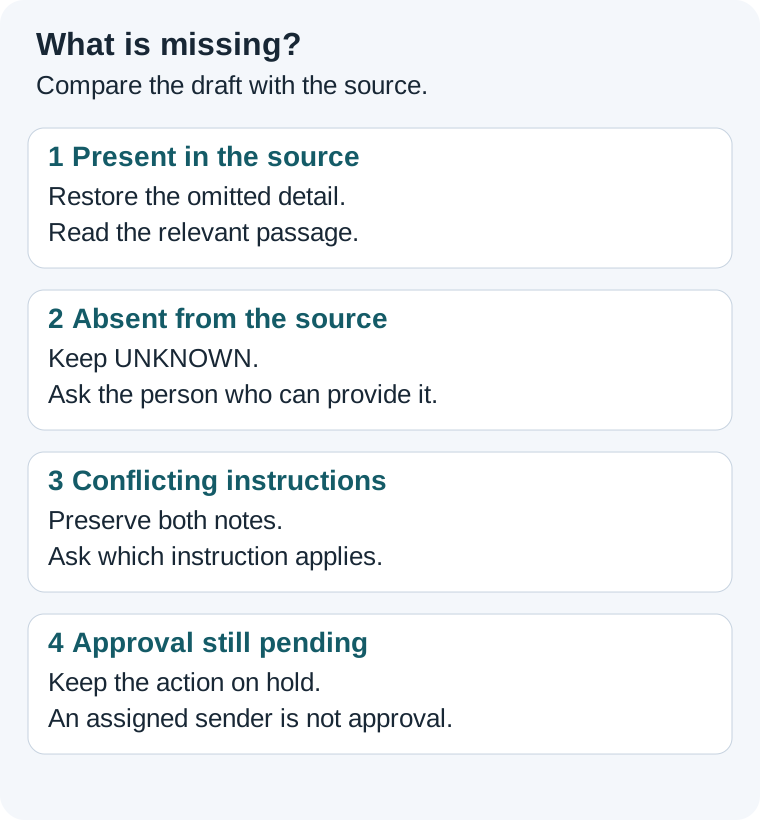
Put the original input beside the draft. Check the specific field that blocks your next step: a date, an owner, an amount or approval. Searching the source yourself helps distinguish an omitted fact from a fact nobody supplied. Ask the tool to locate a passage when that is useful, then read the passage.
Google's current notebook chat instructions describe selecting sources for a question and opening a citation to inspect its context. Those controls can help you inspect an answer. They do not replace a decision by the person responsible for a missing commitment. This guide does not test a particular account or promise that a prompt prevents mistakes.
A small practice brief
The following Linden repair-clinic notes are fictional. You can complete the exercise in a text editor. If you try them in a free AI tool, use these notes instead of private customer information.
S1 — Linden clinic brief.
Date: 2026-10-24.
Booked visitors: 7.
Capacity: 9.
Equipment checklist: spare cables and two test lamps.
Volunteer coordinator: Lee.
Reminder sender: not assigned.
Send reminders only after venue approval.
S2 — Venue note.
The room request is pending.
A volunteer suggested sending reminders on October 20.
No reminder time has been agreed.
Here is a deliberately faulty draft: “Lee will send reminders on October 20 for seven visitors. The venue is approved.” It also leaves out the equipment checklist. Read the two sources before deciding what to ask.
Lee coordinates volunteers, but neither note appoints Lee as the reminder sender. October 20 is a suggestion, not an agreed time. The venue is explicitly pending. The equipment list already exists in S1, so asking someone to provide that list again would create unnecessary work.
Use the answer key
| Field | Evidence | Next step |
|---|---|---|
| Visitors | S1 says 7 booked, capacity 9. | Keep 7 booked. Derive 2 available places separately. |
| Equipment | S1 lists spare cables and two test lamps. | Restore the list in the draft; no follow-up needed. |
| Reminder sender | S1 says not assigned. | Keep UNKNOWN. Ask the coordinator to name the sender. |
| Reminder time | S2 contains a suggestion only. | Keep UNAGREED; do not convert October 20 into a commitment. |
| Venue approval | S2 says pending. | Correct the draft and leave reminders unsent. |
A checked update would read: “The clinic is planned for October 24, 2026. Seven visitors are booked, with two places available from capacity 9 minus 7. Bring spare cables and two test lamps. The reminder sender is not assigned and the reminder time is unagreed. Venue approval is pending, so reminders must remain unsent.”
Notice the different remedies: recover one omitted list, remove two invented commitments, correct one approval claim and preserve the unresolved fields. Asking “Can you add more detail?” would blur those jobs together. Compare your own revised draft with each row before moving on.
Ask the smallest question that unlocks the task
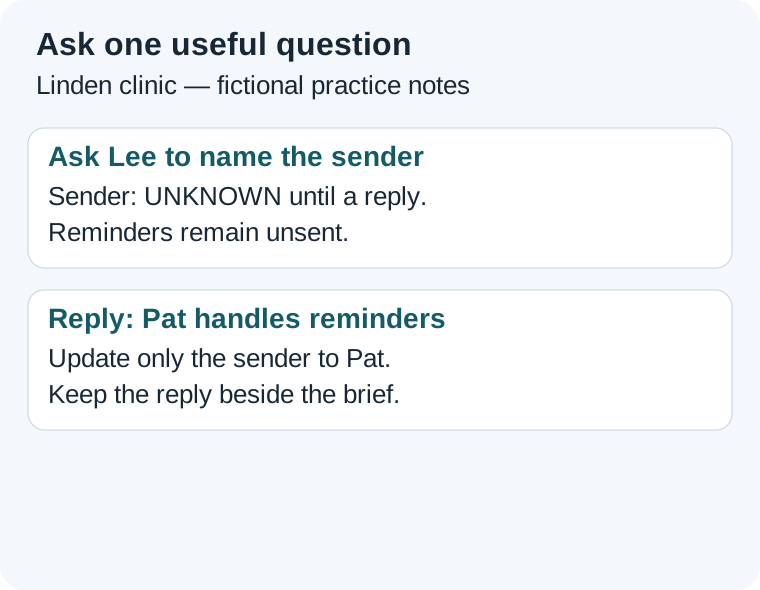
In this exercise, assigning a reminder sender is a useful first question. Venue approval remains a separate condition; assigning a sender does not authorize sending. Address the question to Lee because the brief identifies Lee as the volunteer coordinator, not because Lee is already the sender.
Lee, who should send the Linden clinic reminders? S1 leaves the sender unassigned. Please name the person or leave the field unassigned. This is an assignment question only; reminders remain unsent while venue approval is pending.
Save a tiny follow-up record: field — reminder sender; current value — UNKNOWN; evidence — S1; asked — Lee; answer — pending; effect — update the draft only. You can write it outside the AI tool. Do not mark the field resolved merely because you have sent a question.
Suppose Lee replies, “Pat handles reminders; the time is still undecided.” Update the sender to Pat and preserve UNAGREED for the time. Keep the reply as evidence beside the revised brief. The venue condition still applies. A reply to one question should not silently resolve the others.
If the notes disagree
Add a third fictional note: “S3 — Send reminders on October 19.” It has no approval or replacement statement. You now have conflicting instructions, not just a missing date. Do not let the assistant select the latest-looking date and call it agreed.
Which reminder instruction applies to this clinic: S2's unagreed suggestion or S3's October 19 instruction? Please identify the approved instruction and whether it replaces the earlier note. Venue approval is still pending in S2.
Keep both notes until their relationship is settled. Record who confirmed the applicable instruction and what changed. If nobody can confirm it, leave the reminder time unresolved and preserve the hold. The purpose is a traceable decision, not a more confident sentence.
Questions you may have
Can I ask AI to make a reasonable assumption?
For a planning sketch, label an assumption and keep it separate from known facts. Do not use a guessed owner, date or approval as a real commitment.
Should I ask about every blank field?
Start with the field needed for the next useful step. Keep other blanks visible. If no decision depends on a field yet, you can leave it unresolved.
What if a free limit stops the chat?
Save the source notes, checked draft and follow-up record in your own file. You can ask the responsible person directly. See the save-and-resume exercise.
A community question about omitted material illustrates why checking coverage matters. It is an individual report, not an accuracy measurement.
Continue with checking cited passages, checking changed sources or your first useful AI task.
Sources and practice scope
Official instructions reviewed 2026-10-09. The Linden notes, faulty draft, answer key, follow-up records and illustrations were created for this guide. They are worked examples, not observed product results. Source links are direct, non-affiliate links.