 KIKOMONO
The short answer
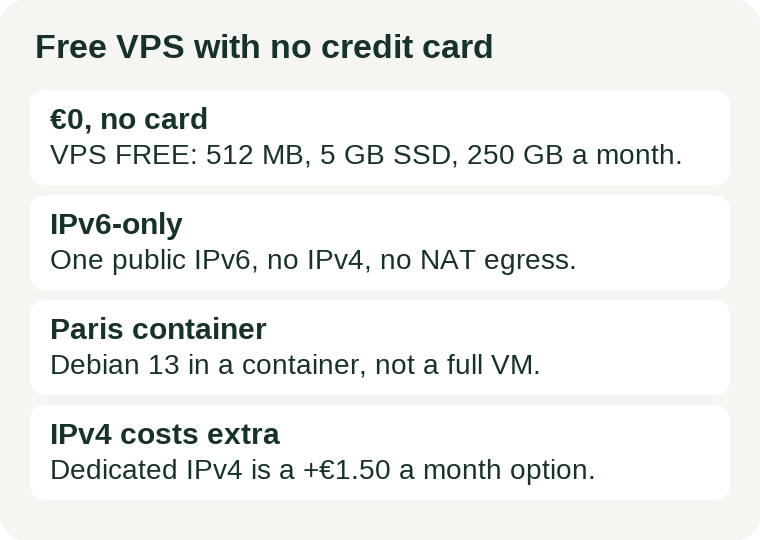
The free tier is real and it is €0, but read the two limits before you plan anything around it. You get a small server — 512 MB of RAM and a quarter of one vCPU — with no card at signup and no Coins to earn first. What you do not get is an IPv4 address, or a full virtual machine: the server is IPv6-only and runs in an isolated container in Paris, with no custom kernel and no disk encryption. If you want a free place to try a €0 VPS and your tools all speak IPv6, it works. If you need IPv4, or a real VM, budget the €1.50 a month for the address — or pay for a different server.
One thing to be clear about: we checked the official pricing and help pages on 2026-11-27. We did not create an account for this check — signup asks for a username, an email address and a password — so what follows is the official pages' account of the tier, not a hands-on test of the dashboard or of provisioning. The numbers below are the ones the official pages state.
What the €0 tier includes
| Item | VPS FREE |
|---|---|
| Price | €0 a month, 0 Coins, no bank card |
| RAM | 512 MB |
| Disk | 5 GB SSD |
| CPU | 25% of one vCPU |
| Bandwidth | 250 GB a month |
| Backup | 1 automatic backup |
| Access | Root access, choice of operating system |
| Network | Public IPv6 included, no IPv4 |
| Location | Paris |
Debian 13 is installed when the server is created or reinstalled, and you choose a hostname, a root password and an SSH key at creation. That is a small box: enough to run a tiny site, a bot, or a test install, and far too small for anything that needs steady CPU or memory. Compare it with the other no-card free tier we have covered: our Altare free VPS guide gives up to four servers at 0.5 vCPU and 512 MB each — Neoheberg gives you one smaller box, in one city, with no IPv4 at all.
IPv6-only is the real limit
The official pricing page states it plainly: every Neoheberg VPS is IPv6-only — one public IPv6 address, no IPv4 and no IPv4 NAT egress. That decides more than the price does. Anything that only speaks IPv4 cannot reach the server, and the server cannot reach IPv4-only services. The official pages themselves note that GitHub does not support IPv6 access, so anything that pulls from GitHub needs another route. If your network at home has no IPv6, you cannot even reach the server directly to log in over SSH — one workaround is a tunnel such as Cloudflare Tunnel, which is an extra moving part on a free box. Before you sign up, check the IPv6 support the same way our VPS IPv6 check describes — except here the question is reversed: it is not whether the VPS supports IPv6, it is whether everything you use supports it too.
A dedicated IPv4 address is the escape hatch, at +€1.50 a month. That is cheap, but it is also the point where the tier stops being free — and at that point you are paying a small French host for a 512 MB container with an IPv4 address, which is a different buy from a €0 trial. Decide which one you want before you start: a free IPv6-only trial, or a €1.50-a-month tiny server with IPv4.
It is a container, not a full virtual machine
The official help article says the VPS runs in an isolated container hosted in Paris. That has three practical consequences. There is no custom kernel: you run the host's kernel, not your own. There is no LUKS disk encryption. And there is no nested virtualization, so you cannot run a hypervisor inside it. Docker may work depending on what you need, according to the same article — “may”, not “does”. If your job needs a custom kernel, encrypted disks or a VM inside a VM, this is the wrong free tier however cheap it is. If your job is a small web service, a bot or a test install on Debian 13, a container is enough — just do not mistake it for a full VPS.
Signup needs a username, email and password
Signup is free and takes three steps, starting with your identity: a username of at least three characters, an email address, and acceptance of the terms of use and privacy policy. The official help article says registration asks for a username, an email address and a password, and the login page confirms it with two steps — first your identifier, then your password. There is no Google or GitHub button on the signup page; the login page offers Discord login instead. The pages also mention two-factor authentication and anti-robot verification. So the signup is card-free, but it is not password-free and not one-click: plan on choosing a password and keeping it somewhere safe, the same as any other account.
What the Coins pay for — and what stays free
Coins are Neoheberg's panel currency, and one Coin equals €0.25 a month. The free tier costs 0 Coins, which is €0 a month — so no Coins are needed for it, and you do not have to earn or buy anything first. Coins only matter for paid services, and there are three ways to get them: earn them free by watching ads in the dashboard or the mobile app, buy a batch with a card, or skip Coins entirely and pay directly by card or bank transfer. Coins do not expire while the account exists, and a service that is not renewed stops when its paid period ends. The free tier sits outside all of that: €0, no card, no Coins.
Who this is for
This free tier fits one job: trying a €0 VPS with no card, on IPv6. Use it to learn, to test an install, or to run a small throwaway job that only needs IPv6. Do not put anything important on it — no data you cannot lose, no service you need to stay up, and no paid work. A 512 MB container from a small French host with 1,566 members, no SLA on the free tier and no IPv4 is a place to try things, not a place to host things. If the trial convinces you, the €1.50-a-month IPv4 option or a paid tier is the next step; if it does not, you have spent nothing but time. And if you have never bought a VPS before, read our guide to choosing your first VPS first — the size and the network matter more than the price.
Official site
neoheberg.fr — check the free tier, the IPv6-only note and the Coins help page there before you sign up. Free tiers change, and the official pages are the authority.